How Often Should You Check Uptime Monitors? Interval Guide
Choosing the wrong check interval can cost you either money or minutes of undetected downtime. Here's how to pick the right frequency for every monitor type.
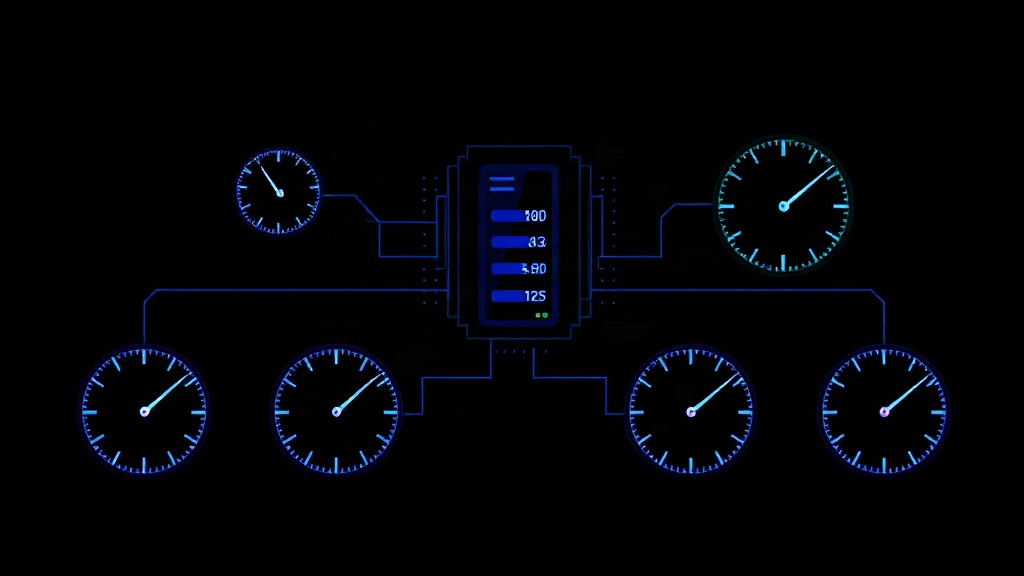
TL;DR: There's no single "right" check interval — it depends on what you're monitoring and what downtime costs you. Use 30-60 second intervals for revenue-critical endpoints (checkout, auth, API gateways), 2-5 minutes for standard services, and 10-15 minutes for low-priority internal tools. Combine multi-region checks with sensible retry logic to avoid false positives without sacrificing detection speed.
Why Check Interval Matters More Than You Think
Every monitoring tool asks you to set a check interval, and most people accept the default without thinking twice. That's a mistake.
Your check interval directly determines your Mean Time to Detection (MTTD) — how long an outage runs before anyone even knows it's happening. If you check every 5 minutes, your worst-case detection time is 5 minutes plus alert processing time. If you check every 60 seconds, that worst case drops to under 90 seconds.
But faster isn't automatically better. Aggressive intervals increase costs, generate more noise from transient blips, and can even strain the systems you're monitoring if you're running synthetic transactions against a login flow or database query.
The goal is matching interval to impact — not defaulting to "as fast as possible" or "whatever the free plan allows."
The Real Cost of Slow Detection
Consider a checkout API that goes down during a flash sale. At $200/minute in lost revenue, a 5-minute check interval could mean $1,000 in losses before you even see an alert — and that's before your team responds.
Compare that to an internal admin dashboard used by three employees. If it's down for 15 minutes before anyone notices, the cost is negligible.
This is why a single global check interval across your entire stack almost never makes sense. You need tiered intervals based on business impact.
A Framework for Choosing Check Intervals
Instead of guessing, run each service through these three questions:
- What's the cost of downtime per minute? Revenue impact, support ticket volume, brand damage.
- How quickly can your team actually respond? There's no point checking every 15 seconds if your on-call engineer takes 10 minutes to acknowledge alerts.
- How volatile is the service? Flaky third-party APIs need more frequent checks to catch intermittent failures; stable internal services don't.
Tier 1: Critical, Revenue-Generating Systems (30-60 seconds)
- Payment processing and checkout flows
- Authentication and SSO endpoints
- Primary API gateways
- Homepage and core landing pages
These are the systems where every minute of downtime has a measurable dollar cost. A 2026 industry benchmark from Uptime Institute puts the average cost of critical infrastructure downtime at over $9,000 per minute for large enterprises — even mid-market SaaS companies see hundreds of dollars per minute in churn risk and lost conversions.
For these, 30-60 second intervals are standard. Anything slower and you're leaving money on the table.
Tier 2: Important, Non-Critical Services (2-5 minutes)
- Secondary APIs and microservices
- Email delivery and notification systems
- Customer-facing dashboards without direct revenue impact
- CDN and static asset delivery
These deserve fast detection but not second-by-second scrutiny. A 2-5 minute interval balances responsiveness with reasonable check volume, especially if you're monitoring dozens of endpoints.
Tier 3: Internal Tools and Low-Traffic Services (10-15 minutes)
- Internal admin panels
- Staging and QA environments
- Batch jobs and cron tasks that run infrequently
- Low-traffic marketing pages
There's little value in checking a staging environment every 30 seconds. Save your check budget — and your alert fatigue tolerance — for what actually matters.
Interval vs. Retry Logic: Don't Confuse the Two
A common mistake is treating check interval as the only lever for detection speed. Retry logic matters just as much.
If you check every 60 seconds but require 3 consecutive failures before alerting, your real detection time is closer to 3 minutes. That's a reasonable tradeoff to avoid false positives from a single dropped packet.
But if you set the same 3-failure threshold with a 15-minute interval, you're now looking at 45 minutes before anyone knows something's wrong. That's the kind of silent gap that turns a minor blip into a customer-facing crisis.
Rule of thumb: shorter intervals can tolerate stricter retry thresholds (2-3 failures) because the total delay stays low. Longer intervals should use looser thresholds (1-2 failures) so you don't compound the wait time.
Multi-Region Checks Change the Math
If you're monitoring from a single location, a network hiccup between the monitor and your server can trigger a false alarm regardless of interval. This is where multi-region monitoring earns its keep.
Running checks from 3-5 geographic regions and requiring failures from at least 2 regions before alerting dramatically cuts false positives — without needing to slow down your interval. Livstat's multi-region checks, for example, let you keep aggressive 30-second intervals on critical endpoints while still filtering out regional network noise.
This combination — fast interval + multi-region consensus — gives you the best of both worlds: quick real detection, low false-alarm rate.
Practical Interval Recommendations by Monitor Type
| Monitor Type | Recommended Interval | Notes |
|---|---|---|
| Payment/checkout API | 30 seconds | Pair with multi-region checks |
| Authentication/SSO | 30-60 seconds | High blast radius if down |
| Core public website | 60 seconds | First thing customers see |
| Public API endpoints | 1-2 minutes | Adjust based on SLA commitments |
| Database health checks | 2-3 minutes | Avoid overloading with frequent connections |
| Email/SMTP delivery | 5 minutes | Delivery delays are less urgent than downtime |
| CDN/static assets | 5 minutes | Usually highly redundant already |
| Internal admin tools | 10-15 minutes | Low user count, low urgency |
| Cron jobs/batch processes | Match job frequency | Check right after expected completion time |
When to Revisit Your Intervals
Check intervals aren't a set-it-and-forget-it decision. Revisit them when:
- Your traffic grows — a service that was low-priority at 100 users might be critical at 10,000.
- You've had a recent incident — if a slow detection made an outage worse, tighten the interval for that specific monitor.
- Your monitoring costs are climbing — if you're paying per check, audit whether every Tier 1 assignment is still justified.
- You add new dependencies — a new third-party payment processor or auth provider deserves its own tiered evaluation.
Most teams set intervals once during initial setup and never touch them again. A quarterly review — even a 15-minute one — catches drift between your monitoring priorities and your actual business risk.
Key Takeaway
The right check interval isn't about checking as often as technically possible — it's about matching detection speed to business impact. Tier your monitors by revenue and user impact, pair fast intervals with multi-region validation to cut false positives, and revisit your setup as your product grows. Get this right, and you'll catch the outages that matter in seconds, not minutes — without drowning your team in noise from the ones that don't.


