How to Set Up Status Page Monitoring for Cloud Infrastructure
Learn to implement comprehensive status page monitoring for your cloud infrastructure in 2026. This guide covers AWS, Azure, GCP monitoring setup, best practices, and automated incident detection.
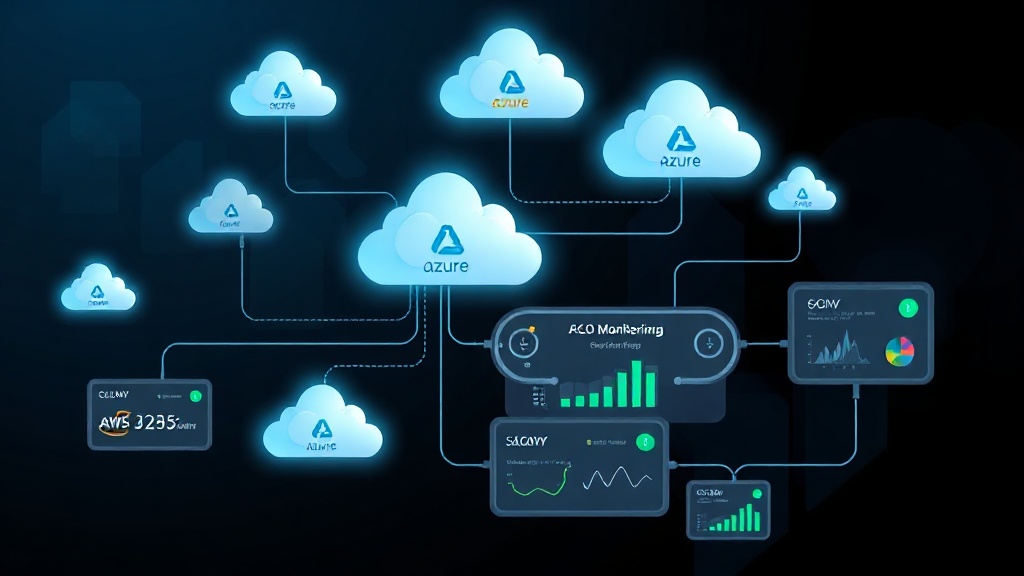
TL;DR: Setting up effective status page monitoring for cloud infrastructure requires monitoring multiple layers — compute, storage, networking, and managed services. Focus on key metrics like availability, latency, and error rates across all cloud resources. Use automated checks, proper alerting thresholds, and clear incident communication to maintain transparency with stakeholders.
Why Cloud Infrastructure Monitoring Matters in 2026
Cloud infrastructure powers 94% of enterprises globally in 2026, making reliable monitoring more critical than ever. When your AWS EC2 instances fail, your Azure databases slow down, or your GCP load balancers experience issues, customers need immediate visibility into service disruptions.
Effective status page monitoring transforms reactive incident management into proactive communication. Instead of fielding support tickets asking "Is the service down?", you provide real-time updates that build trust and reduce customer anxiety during outages.
Essential Components to Monitor
Compute Resources
Your virtual machines, containers, and serverless functions form the backbone of your cloud infrastructure. Monitor these key metrics:
- Instance availability: Track whether EC2, Azure VMs, or Compute Engine instances are running
- CPU utilization: Alert when usage exceeds 80% consistently
- Memory consumption: Monitor RAM usage to prevent out-of-memory crashes
- Disk I/O: Watch for storage bottlenecks that impact performance
Storage Systems
Cloud storage failures can cascade across your entire application stack. Essential monitoring points include:
- Database connectivity: Test connections to RDS, Azure SQL, or Cloud SQL every 60 seconds
- Query response times: Alert when database queries exceed baseline performance by 50%
- Storage capacity: Monitor disk usage to prevent full storage incidents
- Backup status: Verify automated backups complete successfully
Network Infrastructure
Network issues often manifest as seemingly unrelated application problems. Key monitoring targets:
- Load balancer health: Check Application Load Balancers, Azure Load Balancer, or Cloud Load Balancing
- DNS resolution: Test domain name resolution from multiple global locations
- CDN performance: Monitor CloudFront, Azure CDN, or Cloud CDN response times
- VPC connectivity: Verify inter-service communication within virtual networks
Setting Up Multi-Cloud Monitoring
AWS Infrastructure Monitoring
Amazon Web Services provides extensive monitoring capabilities through CloudWatch, but external monitoring adds crucial redundancy.
Step 1: Configure CloudWatch Integration
• Enable detailed monitoring for EC2 instances
• Set up custom metrics for application-specific data
• Create CloudWatch alarms with appropriate thresholds
• Configure SNS notifications for critical alerts
Step 2: Implement External Health Checks
External monitoring tools provide an outside perspective that catches issues CloudWatch might miss. Set up HTTP/HTTPS checks for:
- Application endpoints behind Elastic Load Balancers
- API Gateway endpoints
- S3 bucket accessibility
- RDS connection testing
Azure Cloud Monitoring
Microsoft Azure's monitoring ecosystem centers around Azure Monitor, but requires careful configuration for comprehensive coverage.
Step 1: Azure Monitor Setup
• Enable Application Insights for web applications
• Configure Log Analytics workspace for centralized logging
• Set up Azure Service Health notifications
• Create alert rules for resource-specific metrics
Step 2: Multi-Region Monitoring
Azure's global footprint requires region-specific monitoring strategies. Deploy monitoring checks in multiple regions to catch regional outages early.
Google Cloud Platform Monitoring
GCP's Operations Suite (formerly Stackdriver) provides robust monitoring, but external validation remains essential.
Step 1: Operations Suite Configuration
• Set up Monitoring dashboards for key services
• Configure alerting policies with notification channels
• Enable Error Reporting for application errors
• Implement custom metrics through the Monitoring API
Step 2: Global Load Balancer Monitoring
GCP's global load balancers require specific attention due to their complex routing logic. Monitor backend service health and geographic routing accuracy.
Automated Monitoring Best Practices
Intelligent Alerting Thresholds
Avoid alert fatigue by setting smart thresholds based on historical data and business impact.
Response Time Thresholds:
- Critical: >5 seconds (immediate incident)
- Warning: >2 seconds (investigation needed)
- Normal: <1 second (optimal performance)
Availability Thresholds:
- Critical: <95% uptime over 5 minutes
- Warning: <98% uptime over 15 minutes
- Target: >99.9% monthly availability
Dependency Mapping
Cloud applications rarely fail in isolation. Map service dependencies to understand cascade effects:
- Identify critical paths: Document how requests flow through your infrastructure
- Monitor upstream dependencies: Track third-party APIs and external services
- Test fallback mechanisms: Verify graceful degradation when dependencies fail
Synthetic Transaction Monitoring
Go beyond simple ping checks with synthetic transactions that mirror real user behavior:
- User journey simulation: Test complete workflows like login → purchase → confirmation
- API endpoint validation: Verify REST/GraphQL endpoints return expected data
- File upload/download testing: Monitor S3, Azure Blob, or Cloud Storage operations
Incident Detection and Response
Automated Incident Creation
Modern status page platforms like Livstat can automatically create incidents based on monitoring data, reducing mean time to detection (MTTD) from minutes to seconds.
Configure automatic incident creation for:
- Multiple failed health checks from different regions
- Critical service unavailability lasting >2 minutes
- Error rates exceeding 5% for >1 minute
- Database connection failures
Escalation Procedures
Establish clear escalation paths that account for cloud service complexity:
Level 1 (0-5 minutes):
- Automated notifications to on-call engineer
- Initial status page update with preliminary information
- Basic troubleshooting steps initiated
Level 2 (5-15 minutes):
- Escalation to cloud platform specialists
- Detailed incident investigation begins
- Customer communication with estimated resolution time
Level 3 (15+ minutes):
- Senior engineering team involvement
- Cloud vendor support engagement if needed
- Regular status updates every 30 minutes
Communication Strategy
Real-Time Updates
Cloud infrastructure incidents evolve rapidly. Your status page updates should match this pace:
- Immediate acknowledgment: Confirm incident detection within 2 minutes
- Regular progress updates: Provide updates every 15-30 minutes during active incidents
- Resolution confirmation: Verify full service restoration before marking resolved
Multi-Channel Notifications
Cloud outages impact different user groups differently. Implement targeted communication:
- Email notifications: Detailed updates for technical stakeholders
- SMS alerts: Critical incidents affecting core functionality
- Slack/Teams integration: Real-time updates for internal teams
- RSS feeds: Automated consumption by partner systems
Measuring Success
Key Performance Indicators
Track these metrics to evaluate your monitoring effectiveness:
- Mean Time to Detection (MTTD): Target <2 minutes for critical issues
- Mean Time to Resolution (MTTR): Aim for <30 minutes for P1 incidents
- False positive rate: Keep below 5% to maintain team confidence
- Customer satisfaction: Survey users about incident communication quality
Continuous Improvement
Cloud environments evolve constantly. Review and update your monitoring strategy quarterly:
- Analyze incident patterns: Identify recurring failure modes
- Update monitoring coverage: Add checks for new services and regions
- Refine alert thresholds: Adjust based on performance baselines
- Test monitoring systems: Conduct regular drills to verify detection accuracy
Conclusion
Effective status page monitoring for cloud infrastructure requires a layered approach that combines cloud-native tools with external validation. Focus on monitoring the components that directly impact user experience: compute availability, storage performance, and network connectivity.
Remember that monitoring is only as valuable as your response to the data it provides. Invest equal effort in automated incident detection, clear communication procedures, and continuous improvement based on real-world incident patterns. Your users will appreciate the transparency, and your team will benefit from reduced support burden during outages.


