Cachet vs Upptime vs Livstat: Open-Source vs Hosted Status Pages
Comparing Cachet, Upptime, and Livstat for 2026: setup time, maintenance burden, monitoring depth, and total cost of ownership — so you pick the right status page for your team.
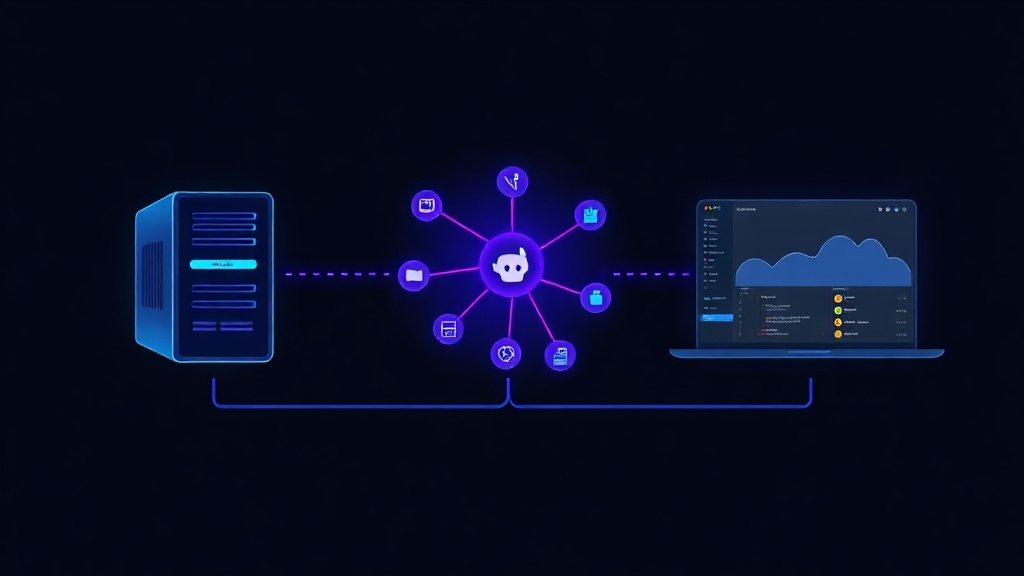
TL;DR: Cachet gives you full control but requires self-hosting, PHP maintenance, and manual monitoring integration. Upptime is free and GitHub-native but limited to simple uptime checks and static pages. Livstat is a hosted platform with built-in monitoring, incident automation, and zero infrastructure to manage. Choose based on how much engineering time you're willing to trade for control.
When something breaks in production, the last thing you want is your status page tooling to be the second incident of the day. Yet that's exactly what happens with a lot of open-source status page setups — a forgotten server, an expired SSL cert, or a broken CI pipeline that stops updates from publishing.
This guide compares three popular approaches for 2026: Cachet (self-hosted, database-driven), Upptime (GitHub-based, static), and Livstat (hosted SaaS with built-in monitoring). We'll look at setup effort, maintenance, monitoring depth, and real cost — not just sticker price.
Quick Overview
- Cachet: Open-source PHP application you deploy yourself. You own the server, database, and updates.
- Upptime: Open-source status page powered by GitHub Actions, GitHub Issues, and GitHub Pages. No server required, but limited by GitHub's infrastructure.
- Livstat: Hosted status page platform with built-in uptime, SSL, heartbeat, and log-based monitoring, plus incident automation and subscriber notifications.
Cachet: Full Control, Full Responsibility
Cachet has been a go-to open-source option for teams that want complete ownership of their status page code and data. It's self-hosted, which means:
- You need a server (VPS, container, or cloud instance)
- You manage a MySQL/PostgreSQL database
- You handle PHP version upgrades, dependency patching, and security updates
- You configure your own monitoring integrations manually — Cachet doesn't monitor anything on its own
Pros:
- Full data ownership and customization
- No vendor lock-in
- Free to run (aside from hosting costs)
Cons:
- Active development has slowed significantly; community contributions are inconsistent
- No built-in monitoring — you need a separate tool (Uptime Kuma, Prometheus, etc.) and custom webhooks to update incidents
- You're responsible for uptime of your own status page, which is ironic when the whole point is reliability
- Setup typically takes several hours to a full day for a production-ready instance, plus ongoing maintenance
Cachet makes sense if you have a dedicated DevOps team, want to keep everything in-house for compliance reasons, and don't mind owning another piece of infrastructure.
Upptime: Free, Git-Native, but Limited
Upptime flips the model. Instead of a server, it uses GitHub Actions to run periodic checks and GitHub Issues to track incidents, publishing a static site via GitHub Pages.
Pros:
- Completely free (within GitHub's free tier limits)
- No server to maintain — GitHub runs the checks
- Version-controlled history of incidents and uptime, which is great for transparency
- Fast to deploy for a simple use case (fork a repo, add your endpoints, done in under an hour)
Cons:
- Check frequency is capped by GitHub Actions scheduling (typically every 5 minutes at best, sometimes with delays under load)
- No real synthetic monitoring — mostly HTTP status checks, not full transaction or heartbeat monitoring
- Incident updates require Git commits or GitHub Issue edits, which is clunky for non-technical team members
- No native subscriber notifications (email/SMS) without extra integrations
- Branding and page customization are limited compared to hosted alternatives
- Public repo visibility can expose your monitoring configuration unless you pay for GitHub private repos with Actions minutes
Upptime is a solid choice for small open-source projects, personal APIs, or teams that want a free, git-based history of uptime without operational overhead — but it starts to strain once you need multi-region checks, detailed incident templates, or customer-facing notifications.
Livstat: Hosted, Monitoring-Native, Built for Incident Response
Livstat takes a different approach: monitoring and status pages are built into one platform, so there's no gap between detecting an issue and communicating it.
What's included out of the box:
- Uptime, SSL, heartbeat, and log-based monitoring — no separate tool required
- Automatic incident creation when a monitor fails, with configurable escalation policies
- Branded, customizable status pages (custom domain, themes, components)
- Subscriber notifications via email, SMS, Slack, and webhooks
- SLA and uptime history tracking, including exportable reports
- No servers, databases, or CI pipelines to maintain
Pros:
- Setup takes minutes, not hours — add a monitor, and your status page updates itself
- Monitoring and status communication live in the same system, so incidents don't require manual updates
- Predictable pricing with no hidden infrastructure costs
- SOC2-style reliability without you having to build it
Cons:
- It's a paid product (though most teams find the time saved outweighs the cost)
- Less low-level customization than a fully self-hosted codebase
For teams that treat the status page as a critical communication tool — not just a nice-to-have — the built-in monitoring is the real differentiator. When a monitor fails, Livstat can automatically open an incident, notify your on-call team, and update the public page, all without a human copying data from one dashboard to another.
Side-by-Side Comparison
| Cachet | Upptime | Livstat | |
|---|---|---|---|
| Hosting | Self-hosted | GitHub-hosted | Fully hosted |
| Built-in monitoring | No | Basic HTTP checks | Full (uptime, SSL, heartbeat, logs) |
| Setup time | Hours | Under 1 hour | Minutes |
| Maintenance burden | High | Low | None |
| Incident automation | Manual | Manual (via Issues) | Automatic |
| Notifications | Manual setup | Limited | Email, SMS, Slack, webhook |
| Cost | Free + hosting | Free | Paid, predictable |
| Best for | Teams needing full control | Small/OSS projects | Teams that need reliability without ops overhead |
How to Choose in 2026
Ask yourself three questions:
- Do you have spare engineering time to maintain infrastructure? If not, self-hosted Cachet will quietly become a liability.
- Is your monitoring need simple (a handful of HTTP checks) or complex (multi-region, heartbeat, log-based)? Upptime covers the former well; it struggles with the latter.
- How fast do you need incidents communicated to customers? If minutes matter, automatic detection-to-publish workflows (like Livstat's) remove the manual step that slows most open-source setups down.
Many teams start with Upptime for a side project, hit its limits when customer-facing SLAs enter the picture, and migrate to a hosted platform once uptime communication becomes a business requirement rather than a nice-to-have.
Key Takeaway
Open-source options like Cachet and Upptime are great for learning, small projects, or teams with strong ops capacity and no urgency around incident response speed. But if your status page is customer-facing and tied to SLAs, the maintenance and manual-update gaps in self-hosted tools become real risk. A hosted platform like Livstat that combines monitoring and status communication in one system closes that gap — and lets your team focus on fixing incidents instead of updating dashboards.