How to Customize Status Page Branding for Enterprise Companies
Learn to align your status page with enterprise brand standards through custom colors, logos, domains, and messaging. Build trust and maintain professional consistency across all customer touchpoints.
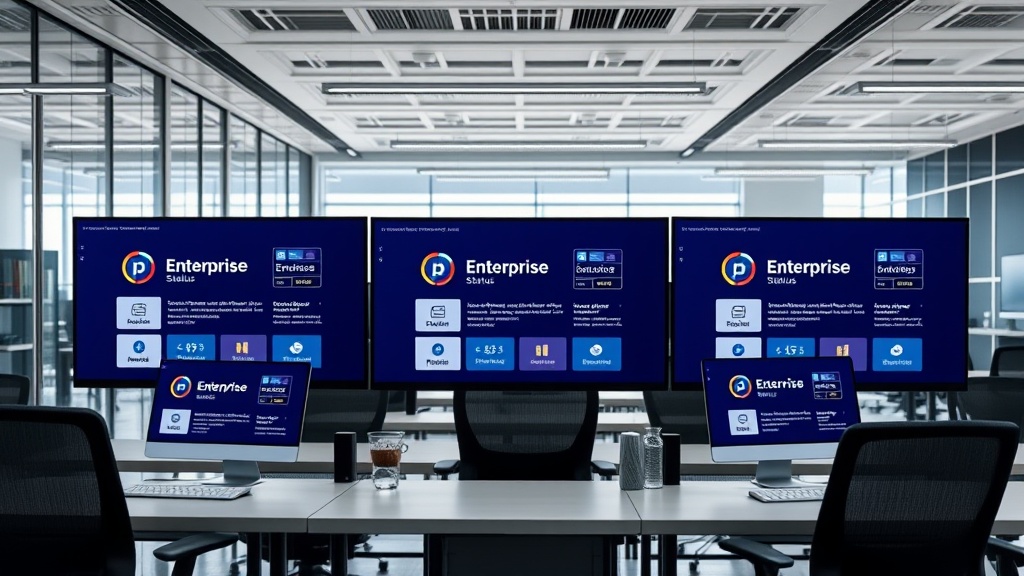
TL;DR: Enterprise status pages require consistent branding to maintain trust and professionalism. Key customization areas include custom domains, brand colors and typography, logo integration, white-label solutions, and messaging tone. Focus on accessibility compliance, mobile responsiveness, and stakeholder approval processes for successful implementation.
Why Status Page Branding Matters for Enterprise Companies
Your status page often becomes the first point of contact during critical incidents. When customers experience service disruptions, they'll visit your status page seeking answers and reassurance.
A poorly branded or generic status page undermines confidence during these crucial moments. Enterprise customers expect consistency across all touchpoints — your status page should feel like a natural extension of your brand, not a third-party afterthought.
Research shows that 73% of enterprise customers associate poor branding with unreliable service. When your status page looks unprofessional or disconnected from your main brand, it amplifies customer anxiety during already stressful situations.
Essential Branding Elements for Enterprise Status Pages
Custom Domain Configuration
Enterprise companies should never use generic subdomains like "yourcompany.statuspage.io" for customer-facing communications. Custom domains build trust and maintain brand consistency.
Set up a dedicated subdomain like status.yourcompany.com or health.yourcompany.com. This approach ensures customers recognize they're viewing official company communications, not third-party content.
Configure SSL certificates properly to maintain security standards. Enterprise customers expect HTTPS everywhere, especially during incident communications when trust is paramount.
Logo and Visual Identity Integration
Your company logo should appear prominently at the top of your status page. Use your primary brand logo in appropriate sizes for both desktop and mobile viewing.
Maintain consistent logo placement and sizing across all page states — operational, degraded performance, and major outage pages. Your visual identity should remain strong regardless of service status.
Consider creating a simplified or monochrome version of your logo specifically for status page use, ensuring readability across different background colors and incident severity levels.
Brand Color Palette Implementation
Status pages traditionally use green, yellow, and red for operational status indicators. However, enterprise branding requires thoughtful integration of these functional colors with your brand palette.
Develop a custom color scheme that incorporates your brand colors while maintaining clear status differentiation. For example, if your brand uses blue as a primary color, create blue-tinted variations for operational status rather than generic green.
Ensure sufficient color contrast for accessibility compliance. Enterprise companies face strict accessibility requirements — your status page colors must meet WCAG 2.1 AA standards at minimum.
Typography and Font Consistency
Use your brand's primary typeface throughout the status page interface. Consistent typography reinforces brand recognition and maintains professional appearance.
If your brand uses custom fonts, ensure they load properly and include fallback options. Status pages must remain functional even when external font resources fail to load.
Establish a clear typography hierarchy for different content types — incident titles, descriptions, timestamps, and status indicators should each have distinct but cohesive styling.
Advanced Customization Strategies
White-Label Status Page Solutions
For maximum brand control, consider white-label status page solutions that allow complete interface customization. These platforms let you build status pages that look entirely native to your brand ecosystem.
White-label solutions typically offer custom CSS injection, allowing your design team to implement precise brand guidelines. This approach works well for enterprises with strict brand compliance requirements.
Evaluate white-label platforms based on customization depth, maintenance requirements, and integration capabilities with your existing monitoring infrastructure.
Custom CSS and Design Elements
Implement custom CSS to fine-tune visual elements beyond basic color and logo changes. Focus on spacing, borders, shadows, and interactive elements that reflect your brand's design language.
Create custom icons for different incident types or service components. Consistent iconography helps users quickly understand status information while reinforcing brand identity.
Develop custom loading animations and micro-interactions that align with your brand personality. These details matter for enterprise customers who expect polished, professional experiences.
Localization and Multi-Language Support
Enterprise companies often serve global markets requiring multi-language status pages. Plan your branding customization with localization in mind.
Ensure your logo and visual elements work across different languages and writing systems. Text-heavy logos may require localized versions for markets using different alphabets.
Consider cultural color associations when implementing your brand palette globally. Colors that represent reliability in Western markets might convey different meanings in Asian or Middle Eastern regions.
Mobile-First Branding Considerations
Over 60% of status page visits in 2026 come from mobile devices. Your branding customization must prioritize mobile experience without compromising brand recognition.
Simplify your logo for mobile displays while maintaining brand recognition. Consider creating a mobile-specific logo variant — perhaps a logomark without wordmark for space-constrained headers.
Test your custom color schemes across various mobile devices and screen brightnesses. Status pages are often viewed in urgent situations where users might be outdoors or in different lighting conditions.
Stakeholder Approval and Brand Compliance
Working with Brand Guidelines
Enterprise brand guidelines often contain strict requirements for logo usage, color applications, and typography. Work closely with your brand team to ensure status page customization complies with all guidelines.
Document any brand guideline exceptions required for status page functionality. For example, if your brand guidelines prohibit using red in primary contexts, you'll need approval for red incident status indicators.
Create a status page brand guidelines addendum that covers unique requirements like emergency messaging tone, incident communication templates, and crisis-specific branding adaptations.
Legal and Compliance Considerations
Status page branding must comply with enterprise legal requirements including accessibility standards, privacy regulations, and industry-specific compliance frameworks.
Ensure your customized status page maintains required legal disclaimers, privacy policy links, and compliance statements. These elements should integrate seamlessly with your branded design.
Consider trademark and copyright implications when customizing third-party status page platforms. Verify that your customization approach doesn't violate platform terms of service.
Implementation Best Practices
Testing and Quality Assurance
Test your branded status page across multiple scenarios — normal operations, planned maintenance, and major incidents. Your branding should remain consistent regardless of page content or status severity.
Conduct cross-browser and cross-device testing to ensure brand elements display correctly everywhere. Enterprise customers use diverse technology environments that must all receive consistent brand experiences.
Regularly audit your status page against current brand guidelines. As your brand evolves, your status page customization should stay current with latest brand standards.
Performance Optimization
Custom branding elements shouldn't compromise status page loading speed. During incidents, customers need immediate access to status information.
Optimize images, fonts, and CSS files for fast loading. Consider using CDN distribution for brand assets to ensure global performance.
Platforms like Livstat offer built-in performance optimization for custom branded elements, ensuring your enterprise branding doesn't slow down critical incident communications.
Measuring Branding Success
Track metrics that indicate successful brand integration on your status page. Monitor bounce rates, time on page, and customer feedback specifically related to brand perception during incidents.
Survey customers about brand recognition and trust levels when interacting with your status page. This feedback helps refine your customization approach over time.
Analyze correlation between branded status page interactions and overall customer satisfaction scores. Strong branding should correlate with higher confidence in your incident response capabilities.
Conclusion
Customizing status page branding for enterprise companies requires balancing functional requirements with brand consistency. Focus on custom domains, cohesive visual identity, and mobile-optimized design while maintaining accessibility and performance standards.
Successful enterprise status page branding builds customer trust during critical moments, reinforces professional credibility, and demonstrates attention to detail that enterprise customers expect. Invest time in proper customization — your brand reputation during incidents depends on it.