How to Set Up Multi-Region Failover Monitoring for Global Applications
Learn to implement robust multi-region failover monitoring that automatically detects outages and switches traffic to healthy regions. Essential for global applications requiring 99.99% uptime.
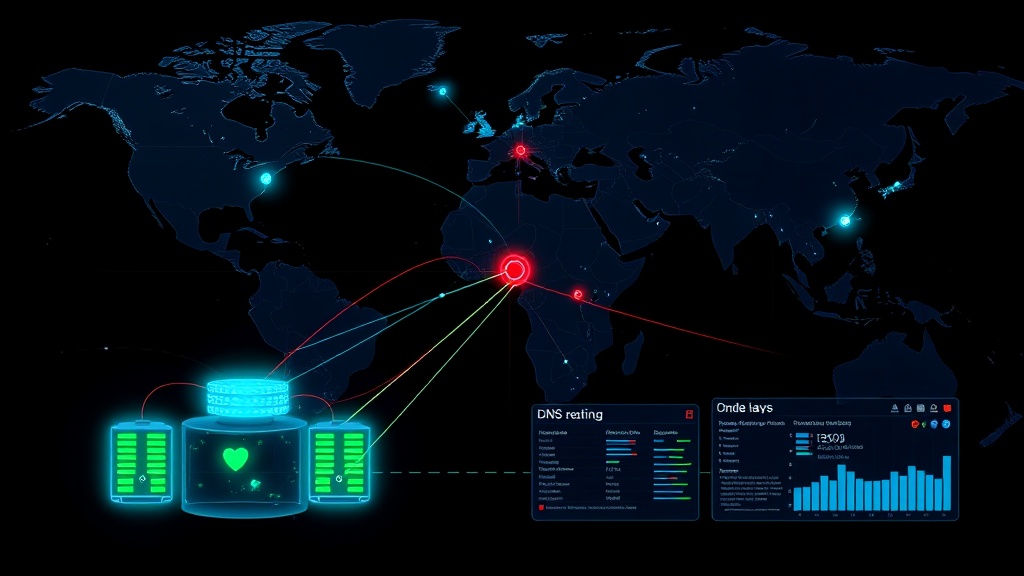
TL;DR: Multi-region failover monitoring ensures your global application stays online by automatically detecting regional outages and routing traffic to healthy regions. This guide covers architecture patterns, health check strategies, DNS failover configuration, and monitoring best practices for 2026.
Understanding Multi-Region Failover Architecture
Multi-region failover monitoring is your safety net when entire AWS regions, Google Cloud zones, or Azure regions go down. Unlike simple uptime monitoring, it actively manages traffic routing based on real-time health assessments across multiple geographic locations.
The core principle is simple: distribute your application across multiple regions and continuously monitor each region's health. When a region becomes unhealthy, your monitoring system triggers automatic failover to redirect traffic to healthy regions.
Modern global applications can't afford single points of failure. A 2026 study by CloudReliability Research found that companies with proper multi-region failover experience 73% fewer customer-facing outages compared to single-region deployments.
Essential Components of Multi-Region Monitoring
Health Check Strategy
Your monitoring system needs multiple layers of health checks to make accurate failover decisions. Surface-level ping tests aren't enough — you need comprehensive health validation.
Implement these health check types:
- Application-level health checks: Test your actual application endpoints, not just load balancers
- Database connectivity checks: Verify your application can read/write to regional databases
- Dependency checks: Monitor critical third-party services and APIs your application relies on
- Performance thresholds: Set response time limits that trigger failover before users notice degradation
Configure health checks to run every 30-60 seconds from multiple monitoring locations. This frequency balances quick detection with avoiding false positives from temporary network hiccups.
DNS-Based Failover Configuration
DNS failover is the most common traffic routing method for multi-region applications. Configure your DNS provider with health-checked records that automatically update when regions fail.
Set up your DNS records like this:
- Primary region: A record with health check (weight: 100)
- Secondary region: A record with health check (weight: 0, failover priority)
- Tertiary region: A record with health check (weight: 0, lowest priority)
Use short TTL values (30-60 seconds) on your DNS records to ensure fast propagation when failover occurs. Longer TTLs might save on DNS queries, but they delay recovery when your primary region comes back online.
Load Balancer Integration
Cloud load balancers provide more sophisticated failover than DNS alone. They can route traffic based on real-time health checks, latency, and custom rules.
AWS Application Load Balancer, Google Cloud Load Balancing, and Azure Load Balancer all support cross-region failover. Configure them to:
- Route traffic to the closest healthy region
- Gradually shift traffic during partial outages
- Implement circuit breaker patterns to prevent cascade failures
Implementing Monitoring and Alerting
Multi-Location Monitoring Setup
Deploy monitoring agents in different geographic locations than your application regions. This separation ensures your monitoring remains functional even during regional cloud provider outages.
Position monitoring locations strategically:
- Monitor US East from Europe and Asia
- Monitor Europe from US and Asia
- Monitor Asia from US and Europe
This cross-region monitoring approach eliminates blind spots and provides accurate global visibility.
Automated Decision Making
Your monitoring system needs clear rules for triggering failover. Avoid hair-trigger sensitivity that causes unnecessary failovers, but don't wait so long that users experience significant downtime.
Set up these automated triggers:
- Immediate failover: Complete region unavailability (all health checks fail)
- Gradual failover: Performance degradation below thresholds for 3+ consecutive minutes
- Partial failover: Route new traffic to healthy regions while existing connections drain
Document your failover thresholds clearly. A typical configuration might trigger failover when response times exceed 5 seconds or error rates surpass 5% for more than 2 minutes.
Status Page Integration
Transparent communication during failover events builds customer trust. Your status page should automatically update when regional failures occur and failover activates.
Modern status page solutions like Livstat can automatically detect multi-region issues and update your public status page without manual intervention. This keeps customers informed while your team focuses on resolving the underlying problems.
Testing Your Failover Setup
Chaos Engineering Practices
Regularly test your failover mechanisms through controlled chaos experiments. Netflix's Chaos Monkey approach has proven that routine failure injection identifies weaknesses before real outages occur.
Schedule monthly failover tests:
- Planned region shutdown: Disable one region during low-traffic periods
- Network partition simulation: Block traffic between regions to test split-brain scenarios
- Database failover testing: Force database failover to verify application resilience
- DNS propagation verification: Measure how quickly DNS changes propagate globally
Document test results and track improvement over time. Your mean time to failover (MTTF) should consistently decrease as you refine your setup.
Monitoring the Monitors
Your multi-region monitoring system needs its own monitoring. Meta-monitoring prevents situations where your failover system fails silently.
Implement these safeguards:
- External uptime monitoring of your monitoring infrastructure
- Heartbeat checks from each monitoring location
- Alert fatigue prevention through intelligent grouping and escalation
- Regular validation that failover alerts actually reach the right people
Advanced Configuration Patterns
Database Considerations
Multi-region applications often struggle with database failover complexity. Choose your database replication strategy carefully based on your consistency requirements.
For applications requiring strong consistency:
- Use synchronous replication with automatic leader election
- Accept higher latency in exchange for data consistency
- Implement careful conflict resolution for split-brain scenarios
For applications accepting eventual consistency:
- Use asynchronous replication for better performance
- Implement application-level conflict resolution
- Consider multi-master database configurations
Traffic Splitting Strategies
Not all failover needs to be binary. Implement percentage-based traffic splitting to gradually shift load during partial outages or maintenance.
Traffic splitting patterns:
- Canary failover: Route 10% of traffic to secondary region, then gradually increase
- Geographic failover: Route traffic from affected regions while maintaining others
- Service-specific failover: Fail over specific microservices while keeping others in primary region
Cost Optimization
Running multi-region infrastructure increases costs significantly. Optimize your approach based on actual business requirements rather than engineering perfectionism.
Consider these cost-saving strategies:
- Use smaller instance sizes in secondary regions (scale up during failover)
- Implement cold standby patterns for non-critical components
- Leverage spot instances in failover regions where appropriate
- Regular review of cross-region data transfer costs
Common Pitfalls and Solutions
False Positive Management
Aggressive failover triggers cause more problems than they solve. False positives erode team confidence and can cause customer-visible issues.
Prevent false positives by:
- Using multiple confirmation checks before triggering failover
- Implementing gradual degradation thresholds rather than binary switches
- Adding human approval requirements for non-critical failover scenarios
- Maintaining detailed logs of all failover decisions for post-incident analysis
Split-Brain Prevention
Split-brain scenarios occur when network partitions cause multiple regions to believe they're the primary. This can lead to data corruption and conflicting application states.
Implement these safeguards:
- Use odd numbers of monitoring locations for tie-breaking votes
- Implement consensus algorithms for critical state decisions
- Design applications to gracefully handle temporary inconsistencies
- Regular testing of network partition scenarios
Measuring Success and Continuous Improvement
Track these key metrics to validate your multi-region failover effectiveness:
- Mean Time to Detect (MTTD): How quickly you identify regional failures
- Mean Time to Failover (MTTF): How quickly traffic routes to healthy regions
- False Positive Rate: Percentage of unnecessary failover events
- Recovery Time: How quickly you restore service to primary regions
Aim for MTTD under 2 minutes and MTTF under 5 minutes for most applications. Mission-critical systems should target even more aggressive thresholds.
Conclusion
Multi-region failover monitoring transforms your global application from fragile to antifragile. The investment in proper monitoring, automated failover, and regular testing pays dividends when real outages occur.
Start with a simple two-region setup, master the fundamentals, then expand to more complex scenarios. Your users will never notice when your primary region goes down — and that's exactly the point.
The key is consistent testing and gradual improvement. Build confidence in your failover systems through regular validation, and your team will sleep better knowing your global application can weather any storm.


