How to Calculate and Track MTTR for SaaS Applications
Learn to calculate Mean Time To Recovery (MTTR) for your SaaS application and implement tracking systems that help reduce downtime and improve customer satisfaction.
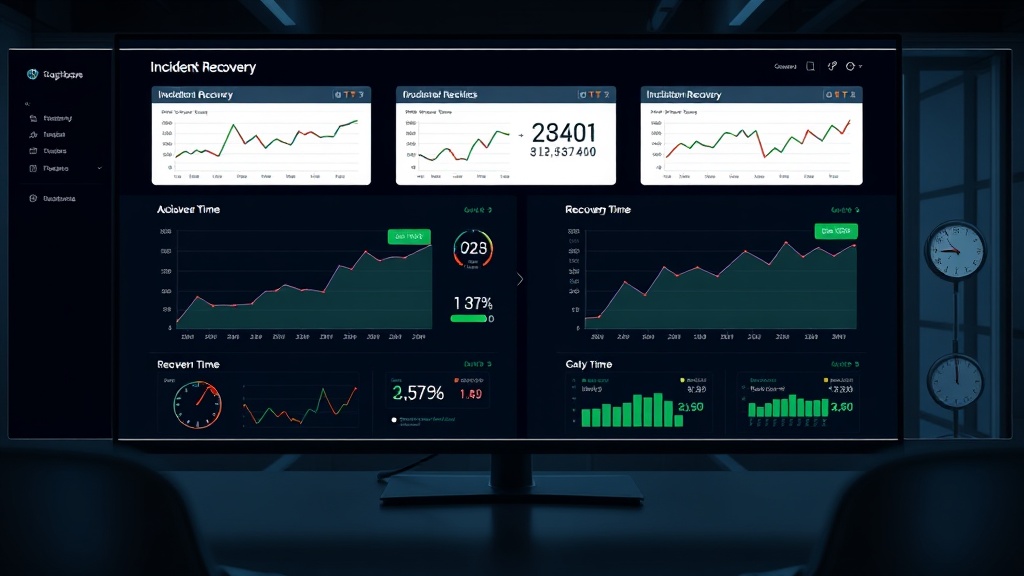
TL;DR: MTTR (Mean Time To Recovery) measures how quickly you resolve incidents in your SaaS application. Calculate it by dividing total recovery time by number of incidents. Track it through automated monitoring, incident management tools, and regular analysis to identify bottlenecks and improve your response processes.
What is MTTR and Why It Matters for SaaS
Mean Time To Recovery (MTTR) is one of the most critical metrics for SaaS applications. It measures the average time between when an incident occurs and when your service returns to normal operation.
For SaaS businesses, MTTR directly impacts customer satisfaction, revenue retention, and competitive advantage. A study by Gartner found that the average cost of IT downtime is $5,600 per minute in 2026, making rapid recovery essential for business continuity.
MTTR differs from other related metrics like Mean Time Between Failures (MTBF) or Mean Time To Detect (MTTD). While MTTD focuses on detection speed, MTTR encompasses the entire recovery process from detection through resolution.
The MTTR Calculation Formula
Calculating MTTR is straightforward:
MTTR = Total Recovery Time ÷ Number of Incidents
For example, if you experienced 4 incidents in January with recovery times of 15, 30, 45, and 60 minutes respectively, your MTTR would be:
MTTR = (15 + 30 + 45 + 60) ÷ 4 = 37.5 minutes
What Counts as Recovery Time
Recovery time starts when an incident begins affecting users and ends when service is fully restored. This includes:
- Detection time (automated alerts or user reports)
- Response time (team mobilization and initial assessment)
- Diagnosis time (root cause identification)
- Resolution time (implementing fixes and verifying recovery)
- Communication time (updating status pages and notifying users)
Be consistent in your measurement approach. Some teams measure from first customer impact, while others start from first internal detection. Choose one method and stick with it across all incidents.
Setting Up MTTR Tracking Systems
Automated Incident Detection
Your MTTR tracking accuracy depends on reliable incident detection. Implement monitoring across multiple layers:
Application Performance Monitoring (APM): Track response times, error rates, and throughput for your application components.
Infrastructure Monitoring: Monitor server health, database performance, and network connectivity.
Synthetic Monitoring: Run automated tests that simulate user interactions to catch issues before customers notice them.
Real User Monitoring (RUM): Track actual user experiences to identify performance degradations that affect real customers.
Incident Management Integration
Connect your monitoring tools to incident management platforms that automatically create tickets when thresholds are breached. This eliminates manual detection delays and ensures consistent timing measurements.
Popular integrations include:
- PagerDuty for on-call management
- Opsgenie for alert routing
- Jira Service Management for ticket tracking
- Custom webhooks for internal systems
Status Page Automation
Automate status page updates to ensure consistent communication timing. Platforms like Livstat can automatically update your status page when incidents are detected, reducing manual communication delays that can skew MTTR calculations.
Tracking MTTR Across Different Incident Types
Severity-Based MTTR
Track MTTR separately for different incident severities:
Critical (P1): Complete service outages requiring immediate response
High (P2): Major feature failures affecting significant user populations
Medium (P3): Minor feature issues with workarounds available
Low (P4): Cosmetic issues or edge cases
Your MTTR targets should reflect severity levels. Critical incidents might target 15-30 minutes, while low-severity issues could allow 24-48 hours.
Component-Specific MTTR
Break down MTTR by system components to identify weak points:
- Database layer issues
- API gateway problems
- Third-party service dependencies
- Frontend application errors
- Infrastructure failures
This granular tracking helps you prioritize improvements and allocate engineering resources effectively.
Improving Your MTTR Over Time
Implement Runbooks and Playbooks
Create detailed runbooks for common incident types. Include:
- Step-by-step diagnostic procedures
- Common resolution steps
- Escalation paths and contact information
- Post-incident verification checklists
Well-documented playbooks can reduce resolution time by 40-60% according to recent industry data.
Automate Common Resolutions
Identify incidents that occur repeatedly and automate their resolution:
Auto-scaling: Automatically provision resources during traffic spikes
Circuit breakers: Isolate failing services to prevent cascading failures
Health checks: Automatically restart unhealthy service instances
Rollback automation: Quickly revert problematic deployments
Post-Incident Reviews
Conduct blameless post-mortems for every significant incident. Focus on:
- Timeline analysis to identify delays
- Process improvements to reduce future MTTR
- Tool or automation gaps that slowed resolution
- Communication breakdowns that extended recovery time
MTTR Benchmarks and Targets
Industry benchmarks for SaaS applications in 2026 vary by company size and complexity:
Enterprise SaaS: 15-30 minutes for critical incidents
Mid-market SaaS: 30-60 minutes for critical incidents
Startup SaaS: 1-4 hours for critical incidents
These targets reflect resource availability and process maturity. Start with achievable goals and improve incrementally.
Setting Realistic MTTR Goals
Consider these factors when setting MTTR targets:
- Team size and on-call coverage
- System complexity and dependencies
- Monitoring tool capabilities
- Automation maturity level
- Customer expectations and SLA commitments
Aim for gradual improvement rather than dramatic changes. A 10-20% MTTR reduction quarterly is more sustainable than attempting 50% improvements.
Common MTTR Tracking Mistakes
Inconsistent Measurement Periods
Avoid changing your measurement approach mid-analysis. If you measure from detection to resolution in January, don't switch to customer-impact timing in February.
Excluding "Quick Fixes"
Some teams exclude incidents resolved in under 5 minutes from MTTR calculations. This skews data and hides the value of good monitoring and automation.
Ignoring Communication Time
Failing to include status page updates and customer communication in MTTR calculations can lead to unrealistic expectations about total incident duration.
Not Accounting for Off-Hours
MTTR during business hours often differs significantly from nights and weekends. Track these separately to understand your true response capabilities.
MTTR Reporting and Analysis
Create regular MTTR reports that include:
- Monthly MTTR trends by severity level
- Component-specific MTTR breakdowns
- Comparison against targets and previous periods
- Correlation analysis with other metrics (MTTD, customer satisfaction)
- Action items for improvement
Share these reports with engineering teams, leadership, and customer success teams to maintain focus on reliability improvements.
Conclusion
Effective MTTR calculation and tracking requires consistent measurement, proper tooling, and commitment to continuous improvement. Start with basic tracking, establish reliable baselines, and gradually implement automation and process improvements.
Remember that MTTR is a means to an end — better customer experience and business reliability. Focus on the underlying processes and capabilities that drive faster recovery, not just the numbers themselves.
Regular analysis and targeted improvements will help you achieve industry-leading MTTR performance while building more resilient SaaS applications that customers can depend on.


