How to Set Up Status Page Monitoring for API Rate Limiting
Learn to monitor API rate limits effectively with status page monitoring. Prevent rate limit breaches, track quota usage, and maintain service reliability.
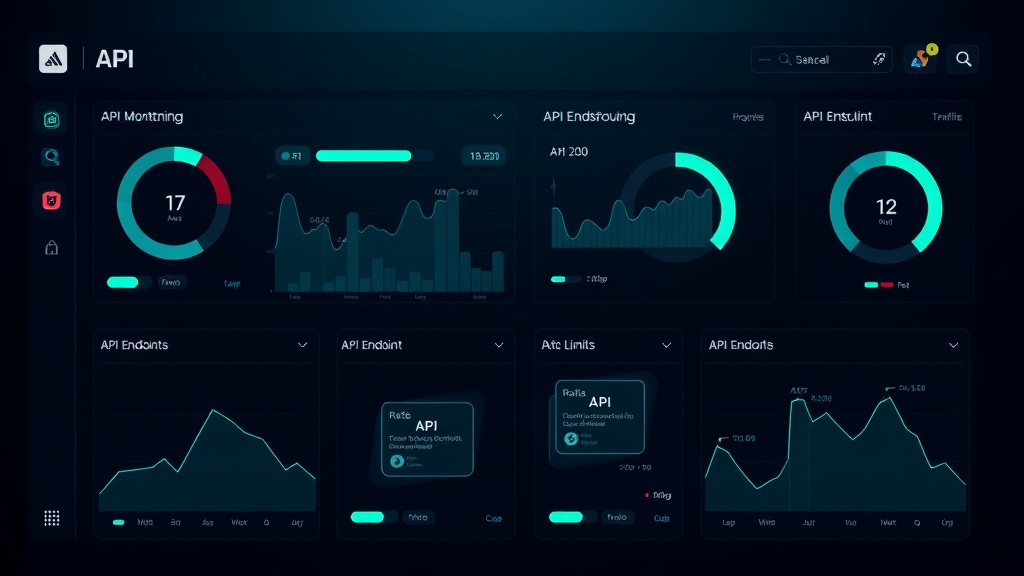
TL;DR: API rate limiting can silently kill your application's performance. This guide shows you how to set up proactive monitoring for rate limits using status page tools, including threshold alerts, quota tracking, and automated response strategies. Prevent service disruptions before they impact your users.
Understanding API Rate Limiting Monitoring
API rate limiting acts as a traffic control system for your services, but without proper monitoring, you're flying blind. Most applications fail when they hit rate limits unexpectedly, causing cascading failures that leave users frustrated and systems unstable.
Traditional monitoring focuses on uptime and response times, but rate limit monitoring requires tracking consumption patterns, quota utilization, and predictive threshold management. You need visibility into how close your application is to hitting limits before it actually happens.
Modern APIs implement various rate limiting strategies—from simple request-per-minute caps to complex token bucket algorithms. Each requires different monitoring approaches to ensure your systems stay operational.
Pre-Setup Requirements and Planning
Before diving into monitoring configuration, you need to understand your API landscape. Document every external API your system depends on, including their specific rate limiting policies, quotas, and reset windows.
Gather the following information for each API:
- Current rate limits (requests per second/minute/hour)
- Burst capacity allowances
- Quota reset schedules
- Error codes returned when limits are exceeded
- Authentication methods and any quota sharing between endpoints
Most APIs provide rate limit information in response headers like X-RateLimit-Remaining or X-RateLimit-Reset. These headers become your primary data sources for monitoring.
Setting Up Basic Rate Limit Monitoring
Start by implementing monitoring checks that track your current usage against available quotas. Create synthetic monitors that make lightweight requests to your critical APIs and parse the rate limit headers.
Set up monitoring endpoints that specifically check rate limit status without consuming significant quota. Many APIs offer dedicated status endpoints that return rate limit information without counting against your limits.
For REST APIs, create monitors that:
- Parse
X-RateLimit-LimitandX-RateLimit-Remainingheaders - Track
X-RateLimit-Resettimestamps for quota renewal timing - Monitor
Retry-Afterheaders when limits are hit - Log response codes 429 (Too Many Requests) and similar rate limit indicators
Configure your status page to display current rate limit utilization as a service component. This gives your team real-time visibility into API consumption patterns.
Advanced Threshold Configuration
Basic monitoring isn't enough—you need intelligent alerting that warns you before problems occur. Set up tiered alert thresholds based on remaining quota percentages rather than absolute numbers.
Implement a three-tier warning system:
- Yellow Alert: 70% quota consumed with more than 25% of reset window remaining
- Orange Alert: 85% quota consumed with more than 10% of reset window remaining
- Red Alert: 95% quota consumed or rate limit hit
These percentages should adjust based on your traffic patterns. E-commerce sites might need tighter thresholds during peak shopping hours, while B2B applications might have more predictable usage patterns.
Consider implementing predictive alerting using consumption velocity. If your current usage rate will exceed limits before the next reset window, trigger early warnings even if current utilization seems safe.
Monitoring Multiple API Providers
Modern applications often integrate with dozens of third-party APIs, each with unique rate limiting implementations. Create monitoring strategies that adapt to different provider patterns.
For major providers like AWS, Google Cloud, or Stripe, leverage their native monitoring APIs to get detailed quota information. These providers often offer more granular data than basic HTTP headers provide.
Group related APIs into monitoring clusters. If you use multiple GitHub APIs, monitor them as a cohesive unit since they often share rate limit pools. Similarly, social media APIs might have interconnected quotas across different endpoints.
Implement cross-API correlation monitoring. When one API hits rate limits, it might indicate broader system issues that could affect other services. Your monitoring should flag these patterns automatically.
Automated Response Strategies
Monitoring without response mechanisms is incomplete. Set up automated actions that trigger when rate limits approach dangerous levels.
Implement circuit breaker patterns that temporarily disable non-critical API calls when limits are approaching. Your status page should reflect these operational changes so users understand any reduced functionality.
Configure automatic request queuing systems that slow down API consumption when quotas run low. This prevents hard failures while maintaining service availability.
For critical systems, implement failover mechanisms that switch to alternative APIs or cached data when primary APIs hit rate limits. Document these fallback behaviors on your status page so users understand service degradation.
Integration with Status Page Displays
Your status page should clearly communicate rate limit status to stakeholders without revealing sensitive operational details. Create user-friendly components that show API health without exposing exact quota numbers.
Display rate limit status as service health indicators:
- Operational: APIs running well under rate limits
- Degraded Performance: Approaching rate limits, some features may be slower
- Partial Outage: Rate limits hit, some functionality temporarily unavailable
- Major Outage: Multiple APIs affected, significant service impact
Include estimated recovery times based on quota reset schedules. If an API resets quotas hourly and you're currently rate limited, show users when normal service will resume.
Tools like Livstat make this integration seamless by automatically updating status components based on your monitoring data, ensuring your status page reflects real-time rate limit conditions.
Testing and Validation
Regularly test your rate limit monitoring by intentionally approaching limits in controlled environments. Create test scenarios that simulate high-usage periods to validate your alerting thresholds.
Use load testing tools to generate realistic API usage patterns that trigger your monitoring alerts. Verify that your status page updates correctly and that automated responses function as expected.
Document false positive patterns and adjust your thresholds accordingly. Rate limit monitoring often generates noise initially, but proper tuning creates reliable alerting systems.
Best Practices and Common Pitfalls
Avoid monitoring rate limits too frequently—excessive monitoring requests can actually contribute to hitting limits faster. Space your monitoring checks appropriately based on your actual usage patterns.
Don't rely solely on error-based monitoring. By the time you receive 429 errors, it's too late for preventive action. Focus on proactive quota tracking instead.
Implement proper data retention for rate limit metrics. Historical data helps identify usage trends and optimize your API consumption patterns over time.
Remember that rate limits can change without notice. Monitor for unexpected limit reductions and adjust your thresholds dynamically when providers modify their policies.
Conclusion
Effective API rate limit monitoring requires more than basic uptime checks—it demands proactive tracking, intelligent alerting, and automated response mechanisms. By implementing the strategies outlined in this guide, you'll prevent rate limit surprises that can cripple your applications.
Start with basic quota monitoring, then gradually add sophisticated threshold management and automated responses. Your users will never know how close your systems came to hitting limits, and that's exactly how it should be.