What Is a Status Page and Why Your Business Needs One in 2026
A status page keeps customers informed during outages and builds trust through transparency. Here's what it is, how it works, and why every business needs one in 2026.

TL;DR: A status page is a public or private dashboard that shows the real-time health of your services, plus a history of incidents and maintenance. In 2026, customers expect transparency by default — businesses without a status page see higher support ticket volume, slower incident response, and more customer churn during outages. Setting one up takes under an hour and pays for itself the first time something breaks.
What Is a Status Page, Exactly?
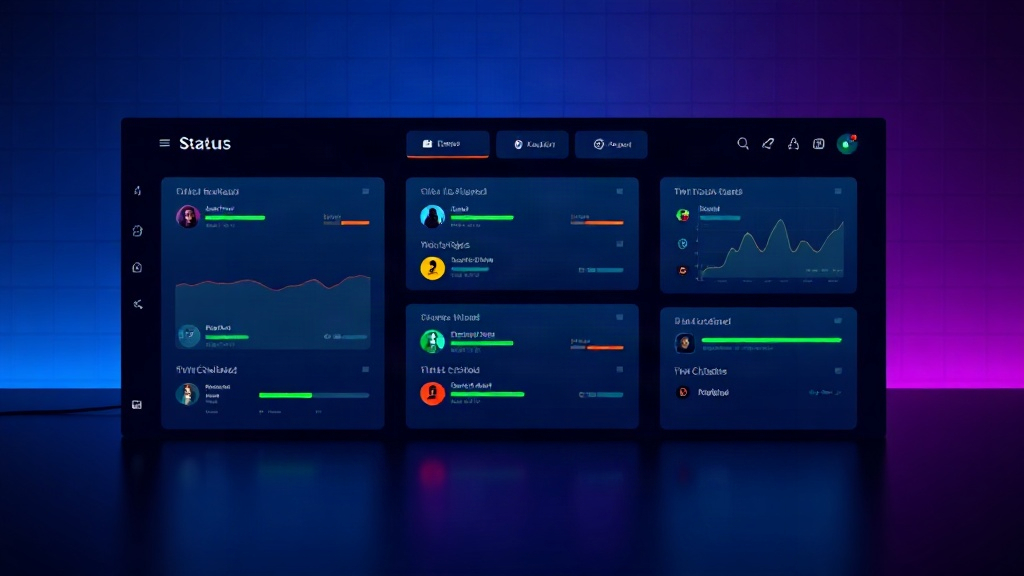
A status page is a dedicated webpage that communicates the operational health of your product, API, or infrastructure. It typically shows:
- Current status of each service component (operational, degraded, down)
- Active incidents with real-time updates
- A historical log of past outages and maintenance windows
- Uptime metrics over time (daily, monthly, 90-day)
- Subscription options so users get notified via email, SMS, or webhook
Think of it as the single source of truth for "is it just me, or is the service down?" Instead of customers guessing, refreshing your app, or flooding your support inbox, they check one URL — usually something like status.yourcompany.com.
Status pages come in two flavors: public (for customers and the internet) and private (for internal teams, enterprise clients, or partners who need deeper visibility). Many companies run both.
Why Status Pages Matter More in 2026
The bar for transparency has risen sharply over the last few years, and three trends are driving it.
1. Outages Are More Visible Than Ever
With everything connected through APIs, a single third-party failure — a cloud provider, a payment processor, a CDN — can ripple across thousands of businesses simultaneously. When that happens, social media fills with speculation within minutes. A status page lets you control the narrative instead of letting Twitter/X do it for you.
2. Customers Expect Self-Service Answers
According to industry support benchmarks, up to 70% of support tickets during an outage are variations of "is this a known issue?" A status page answers that question before the ticket is even opened. That single change can cut incident-related support volume dramatically — some teams report reductions of 40-60% once they adopt proactive status updates.
3. Trust Is a Competitive Differentiator
In crowded SaaS markets, reliability and honesty are now purchase criteria. Enterprise buyers routinely ask vendors for uptime history and incident response processes during procurement. A polished, well-maintained status page is proof you take reliability seriously — and it's something a competitor without one simply can't show.
What Happens Without a Status Page
Picture this: your checkout API goes down for 25 minutes during a product launch. Without a status page:
- Support gets flooded with duplicate tickets
- Customers assume the worst and post complaints publicly
- Your team spends time answering "what's going on?" instead of fixing the issue
- There's no record afterward to reference for a postmortem or SLA credit calculation
With a status page in place, you post one update, subscribers get notified automatically, and your team focuses entirely on resolution. The difference in perceived reliability — even with identical downtime — is massive. Customers forgive outages far more readily when they feel informed.
Core Components of a Modern Status Page
A status page in 2026 should include more than a static "all systems operational" banner. Look for these capabilities:
- Automated uptime monitoring that updates component status without manual intervention
- Incident timelines showing investigation, identification, monitoring, and resolution steps
- Subscriber notifications via email, SMS, Slack, or webhook
- Custom domain and branding so the page feels native to your product
- Historical uptime graphs (30/90/365-day views) for transparency and SLA proof
- Scheduled maintenance announcements to set expectations ahead of planned work
- Multi-language support if you serve a global customer base
Platforms like Livstat combine monitoring and status pages in one tool, so when a monitor detects downtime, the incident can be posted to your status page automatically — no manual copy-pasting between dashboards during a stressful outage.
Who Needs a Status Page?
Short answer: any business where downtime affects customers. That includes:
- SaaS companies — customers rely on your uptime to run their own business
- E-commerce platforms — every minute of downtime is lost revenue
- API providers — developers building on top of you need real-time dependency status
- Internal IT teams — employees need to know when internal tools are down before filing a ticket
- Agencies and freelancers — even a single-client status page builds a professional image
If you have paying customers or internal stakeholders depending on a service you run, you need a status page. It's no longer an enterprise-only tool — most status page platforms now offer plans that make sense for a five-person startup.
How to Set One Up (The Short Version)
- Choose a status page platform that includes uptime monitoring, not just a static page generator.
- Define your components — group services logically (API, dashboard, billing, mobile app, etc.) so users see exactly what's affected.
- Connect monitors to each component so status updates automatically based on real checks, not manual toggles.
- Set up a custom domain like status.yourcompany.com for brand consistency.
- Configure subscriber notifications so customers can opt in to email, SMS, or webhook alerts.
- Draft incident templates in advance for common scenarios (full outage, degraded performance, scheduled maintenance) so your team isn't writing from scratch under pressure.
- Link to it everywhere — your footer, help center, login page, and app itself.
Most teams can have a functional status page live in under an hour, especially with platforms built for quick setup rather than complex enterprise onboarding.
Status Page vs. Just Posting on Social Media
Some smaller teams rely on a pinned tweet or a Slack community announcement during outages. This works in a pinch, but it has real limitations: no historical record, no structured incident timeline, no automated notifications, and no SLA documentation. A dedicated status page gives you all of that permanently, and it signals a level of operational maturity that a social post never will.
The Bottom Line
A status page isn't just a nice-to-have anymore — it's table stakes for any business whose customers depend on uptime. It reduces support load, builds trust, and gives you a documented record for postmortems and SLA conversations. In 2026, the question isn't whether you need one, but how quickly you can get it live before your next incident happens.