How to Create Automated Incident Postmortems for SaaS Applications
Learn to build automated postmortem processes that capture incident data, generate reports, and extract actionable insights without manual effort. Reduce MTTR and prevent future incidents.
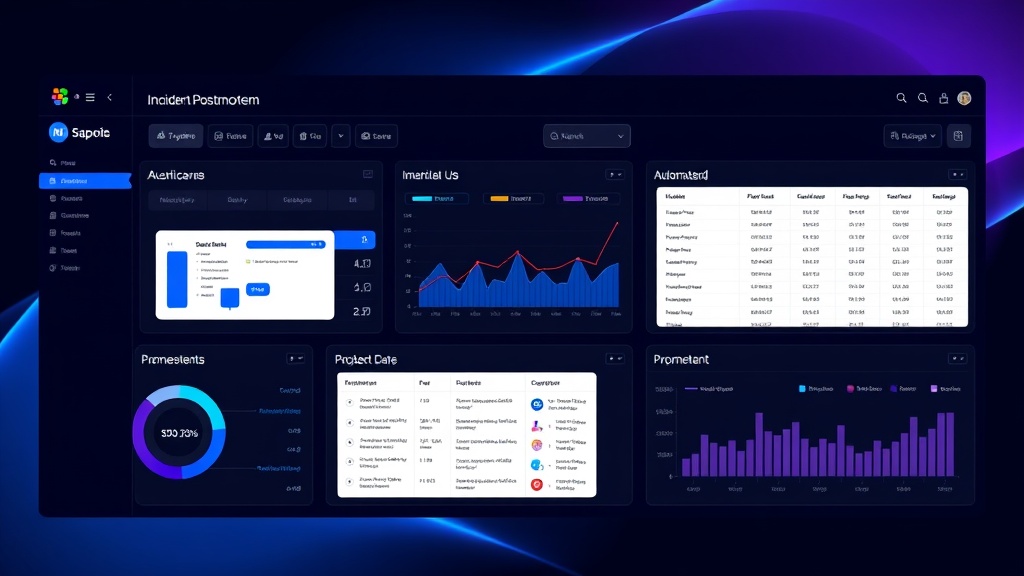
TL;DR: Automated incident postmortems eliminate manual report generation by capturing timeline data, impact metrics, and root cause analysis automatically. This guide covers setting up data collection, report templates, stakeholder distribution, and continuous improvement loops to turn every incident into learning opportunities.
Why Automated Postmortems Matter in 2026
Manual postmortem creation consumes 3-5 hours per incident on average. For SaaS companies experiencing 10+ incidents monthly, that's 30-50 hours of engineering time lost to documentation instead of prevention.
Automated postmortems solve three critical problems. First, they ensure consistency by capturing the same data points every time. Second, they reduce time-to-insight from days to minutes. Third, they eliminate the human tendency to skip postmortems for "minor" incidents that often reveal systemic issues.
Google's Site Reliability Engineering team reports that automated postmortem generation increased their incident learning velocity by 340% while reducing repeat incidents by 23%.
Essential Data Points for Automated Collection
Timeline and Response Metrics
Your automated system must capture precise timestamps for each incident phase. Start with detection time, acknowledgment time, escalation points, and resolution time. Include response team assignments and handoffs between team members.
Track communication touchpoints: when customers were notified, when status pages were updated, and when internal stakeholders received alerts. This creates a complete timeline without manual reconstruction.
Impact and Business Metrics
Capture quantifiable impact data automatically. Monitor affected user counts, revenue impact, API error rates, and service degradation percentages. Connect these metrics to your monitoring stack for real-time data collection.
Include customer-facing metrics like page load times, transaction success rates, and feature availability. This data helps prioritize future prevention efforts based on actual business impact.
Technical Context and Root Cause Data
Automate collection of system states during incidents. Capture logs, metrics, traces, and configuration changes that occurred before and during the incident. Store database performance metrics, infrastructure resource utilization, and third-party service status.
Integrate with your deployment pipeline to correlate incidents with recent code changes, configuration updates, or infrastructure modifications.
Building Your Automated Postmortem System
Step 1: Integrate with Incident Management Tools
Connect your postmortem system to your incident management platform (PagerDuty, Opsgenie, or similar). Pull incident metadata, severity levels, and response team information automatically.
Set up webhooks to trigger postmortem creation when incidents reach specific severity thresholds or resolution states. This ensures comprehensive coverage without manual intervention.
Step 2: Configure Data Collection APIs
Establish API connections to all relevant systems. Connect to your monitoring platform (Datadog, New Relic, Prometheus), logging systems (ELK stack, Splunk), and APM tools. Create read-only service accounts with appropriate permissions.
Set up time-based queries that automatically pull relevant data for the incident window plus buffer time before and after. This captures leading indicators and confirms full resolution.
Step 3: Design Report Templates
Create standardized templates that adapt to different incident types. Include sections for executive summary, timeline reconstruction, impact analysis, root cause determination, and action items.
Use conditional logic to show relevant sections based on incident characteristics. Database incidents should emphasize query performance and data integrity, while API incidents focus on response times and error rates.
Step 4: Implement Action Item Tracking
Automate action item creation in your project management system. Generate tickets for prevention measures, monitoring improvements, and process updates based on incident patterns.
Assign owners automatically based on incident type and affected systems. Set due dates based on severity and business impact to ensure follow-through.
Advanced Automation Features
AI-Powered Root Cause Analysis
Implement machine learning models that analyze incident patterns and suggest likely root causes. Train models on historical incident data to identify correlations between symptoms and underlying issues.
Use natural language processing to analyze incident communications and extract key insights. This helps identify human factors and process breakdowns that purely technical analysis might miss.
Automated Stakeholder Distribution
Set up intelligent distribution lists that route postmortems to relevant stakeholders based on incident impact and type. Send executive summaries to leadership, detailed technical reports to engineering teams, and customer impact summaries to support teams.
Schedule automatic follow-up reports that track action item completion and measure prevention effectiveness over time.
Cross-Incident Pattern Recognition
Develop dashboards that identify trends across multiple postmortems. Look for recurring failure modes, teams with high incident rates, and systems that frequently appear in postmortems.
Generate monthly and quarterly reports that highlight systemic issues requiring architectural or process changes.
Implementation Best Practices
Start Small and Iterate
Begin with basic timeline and impact data collection for high-severity incidents. Add complexity gradually as your team adapts to automated processes.
Run parallel manual and automated postmortems initially to validate accuracy and completeness. Use feedback to refine templates and data collection rules.
Ensure Data Quality and Completeness
Implement validation rules that flag incomplete or suspicious data. Set up alerts when critical data sources become unavailable or when incident detection gaps occur.
Maintain data retention policies that balance storage costs with historical analysis needs. Archive detailed logs while preserving summary metrics for long-term trend analysis.
Train Teams on Automated Processes
Educate incident responders on how their actions during incidents affect automated postmortem quality. Clear communication practices and proper tool usage improve automated report accuracy.
Provide training on interpreting automated postmortem reports and extracting actionable insights. Teams should understand both the capabilities and limitations of automated analysis.
Measuring Automation Success
Track key metrics to validate your automated postmortem system's effectiveness. Measure time-to-postmortem completion, action item follow-through rates, and repeat incident frequencies.
Monitor postmortem quality scores from stakeholders and track how often automated reports require manual corrections. High-quality automation should need minimal human intervention.
Platforms like Livstat can help streamline this process by automatically correlating status page updates with incident timelines, providing cleaner data for postmortem generation.
Common Pitfalls to Avoid
Don't over-automate initially. Start with clear, simple data collection and build complexity based on actual needs rather than theoretical completeness.
Avoid creating postmortem reports that nobody reads. Focus on actionable insights rather than comprehensive data dumps. Include executive summaries and key takeaways prominently.
Don't neglect human review entirely. Automated systems excel at data collection and formatting but may miss nuanced organizational or process issues that require human insight.
Conclusion
Automated incident postmortems transform reactive incident response into proactive system improvement. By capturing comprehensive data automatically and generating actionable insights consistently, you create a continuous learning loop that strengthens your SaaS application's reliability over time.
Start with basic automation for high-impact incidents, then expand coverage and sophistication as your processes mature. The investment in automation pays dividends through reduced manual effort, improved incident prevention, and faster organizational learning from every outage.