How to Create Custom Incident Severity Levels for Enterprise Status Pages
Learn how to design and implement custom incident severity frameworks that align with your enterprise operations and customer communication needs. This guide covers classification strategies, escalation workflows, and best practices for 2026.
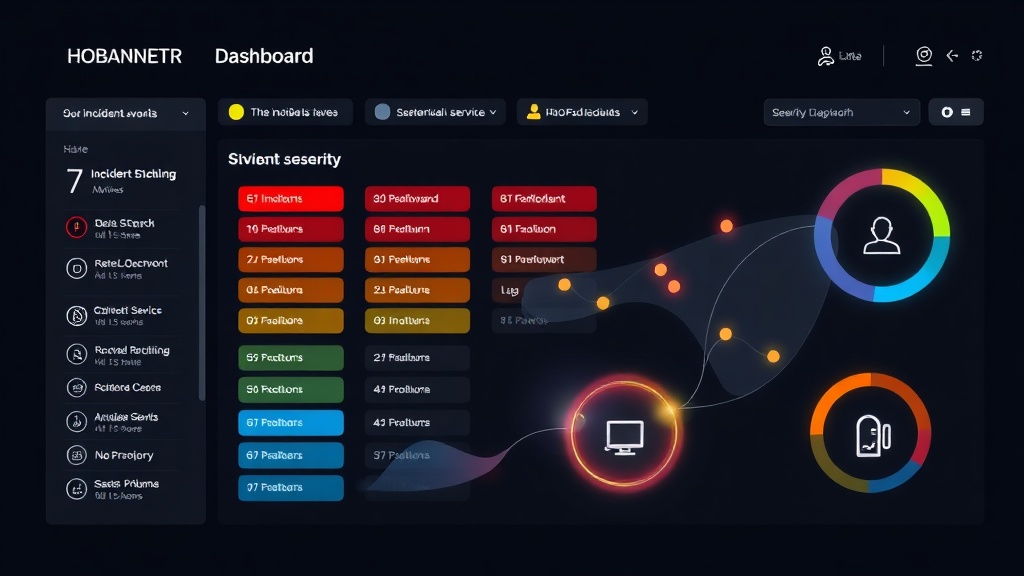
TL;DR: Custom incident severity levels help enterprise teams classify outages more accurately, streamline response procedures, and communicate impact clearly to stakeholders. This guide walks you through designing severity frameworks that match your business needs, implementing them effectively, and ensuring consistent team adoption.
Why Default Severity Levels Fall Short for Enterprises
Most status page platforms come with basic severity classifications like "minor," "major," and "critical." While these work for simple applications, enterprise environments need more nuanced approaches.
Your e-commerce platform experiencing checkout issues during Black Friday requires different handling than a reporting dashboard being slow on a Tuesday morning. Generic severity levels can't capture these business context differences.
Custom severity frameworks align technical impact with business priorities. They help your team make faster decisions during incidents and communicate more precisely with customers about what's actually affected.
Designing Your Custom Severity Framework
Start with Business Impact Assessment
Before creating severity levels, map your services to business functions. Identify which systems directly generate revenue, support critical customer workflows, or maintain regulatory compliance.
Create a matrix that considers:
- User impact scope: How many users are affected?
- Financial impact: Is revenue directly impacted?
- Regulatory implications: Are compliance requirements at risk?
- Operational dependencies: Do other teams rely on this service?
For example, a financial services company might prioritize trading platform issues over internal HR systems, even if both have similar technical complexity.
Define Clear Classification Criteria
Each severity level needs objective criteria that any team member can apply consistently. Avoid subjective terms like "significant" or "substantial."
Here's an enterprise-grade framework example:
P0 - Service Unavailable
- Core revenue-generating services completely down
- Affects >75% of active users
- Estimated revenue impact >$10K/hour
- Customer-facing authentication failures
P1 - Major Degradation
- Core services experiencing significant performance issues
- Affects 25-75% of active users
- Estimated revenue impact $1K-10K/hour
- Key customer workflows disrupted but workarounds exist
P2 - Minor Service Issues
- Non-critical features unavailable
- Affects <25% of active users
- Minimal revenue impact <$1K/hour
- Internal tools or reporting systems affected
P3 - Maintenance & Planned Work
- Scheduled maintenance windows
- Feature deployments with expected brief interruptions
- No customer impact expected
Consider Time-Based Escalation
Incidents can escalate in severity based on duration. A minor issue that persists for hours might warrant reclassification.
Define escalation triggers:
- P2 incidents lasting >4 hours become P1
- P1 incidents lasting >2 hours become P0
- Any incident affecting customer data becomes P0 immediately
This prevents minor issues from becoming major problems through inaction.
Implementation Best Practices
Create Decision Trees for Complex Scenarios
Some incidents don't fit neatly into categories. Prepare decision trees that help responders classify edge cases quickly.
Example decision tree:
- Is customer data at risk? → P0
- Are payments processing normally? → If no, P0
- Can users complete core workflows? → If no, P1
- Is impact isolated to specific regions? → Consider geographic scope in classification
These trees reduce decision paralysis during high-stress situations.
Establish Response Time SLAs
Each severity level should have clear response time expectations:
- P0: Immediate response (<15 minutes), executive notification
- P1: Response within 1 hour, manager notification
- P2: Response within 4 hours, team lead notification
- P3: Response within 24 hours, scheduled handling
Document who gets notified at each level and through which channels.
Design Customer-Facing Messaging
Your internal severity levels might not match how you communicate externally. Create a mapping between internal classifications and customer-friendly descriptions.
Internal P0 might become "Service Disruption" on your status page, while P2 becomes "Intermittent Issues." This protects sensitive business information while keeping customers informed.
Technical Implementation Steps
Configure Your Status Page Platform
Modern status page platforms like Livstat allow extensive customization of incident severity levels. Access your platform's incident management settings and replace default categories with your custom framework.
Set up automated workflows that trigger different response procedures based on severity level. This ensures consistent handling regardless of who's on call.
Integrate with Monitoring Tools
Connect your monitoring systems to automatically suggest severity levels based on metrics. If your payment processing success rate drops below 95%, the system should recommend P0 classification.
This reduces human error and speeds up initial incident response.
Create Incident Templates
Develop pre-written templates for each severity level that include:
- Initial customer communication scripts
- Internal escalation procedures
- Required stakeholder notifications
- Investigation checklists
Templates ensure nothing gets missed during high-pressure situations.
Training and Adoption Strategies
Conduct Tabletop Exercises
Regularly run simulated incidents using your severity framework. Present scenarios and have teams classify them using your criteria.
This builds muscle memory and reveals gaps in your classification logic before real incidents occur.
Document Edge Cases
Maintain a living document of unusual incidents and how they were classified. This becomes institutional knowledge that helps with future similar situations.
Include the reasoning behind classification decisions, especially controversial ones.
Review and Refine Quarterly
Analyze incident data every quarter to identify patterns:
- Are most incidents falling into one severity level?
- Do classification decisions get changed frequently during incidents?
- Are response times meeting SLA expectations?
Use this data to refine your severity criteria and improve accuracy.
Measuring Success
Track Key Metrics
Monitor these indicators to gauge framework effectiveness:
- Classification accuracy: How often do severity levels get changed mid-incident?
- Response time adherence: Are teams meeting SLA expectations by severity?
- Stakeholder satisfaction: Are the right people getting notified appropriately?
- Customer communication quality: Do external messages match incident severity?
Conduct Post-Incident Reviews
After major incidents, evaluate whether your severity classification was appropriate. Ask:
- Did the initial classification match the actual impact?
- Were escalation procedures followed correctly?
- Did customer communication align with severity level?
Use these insights to continuously improve your framework.
Conclusion
Custom incident severity levels transform chaotic outage responses into structured, predictable processes. By aligning technical classifications with business impact, you ensure appropriate resource allocation and stakeholder communication.
The key is starting with clear business context, defining objective criteria, and continuously refining based on real-world usage. Your severity framework should evolve with your business, becoming more sophisticated as your operations mature.
Remember that the best framework is one your team actually uses consistently. Invest in training and documentation to ensure adoption, and regularly review effectiveness through data analysis and team feedback.