How to Set Up Real-Time Incident Communication Channels for Remote Teams
Learn to build efficient incident communication workflows that keep remote teams synchronized during outages. Discover tools, processes, and automation strategies for rapid response coordination.
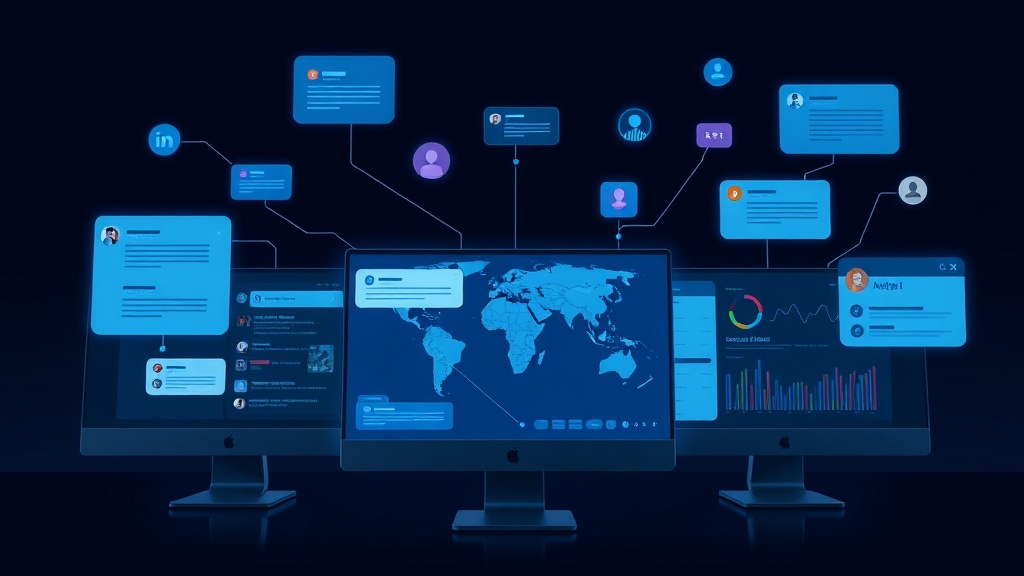
TL;DR: Effective incident communication for remote teams requires dedicated channels, clear escalation paths, automated notifications, and integrated monitoring tools. Set up Slack/Teams channels, define roles, automate alerts, and establish post-incident review processes to minimize response time and customer impact.
The Remote Team Incident Communication Challenge
When your application crashes at 2 AM and your team is scattered across four time zones, every minute counts. Remote teams face unique challenges during incidents: delayed notifications, unclear ownership, communication silos, and the dreaded "who's handling this?" confusion.
The average cost of IT downtime reached $5,600 per minute in 2026, making rapid incident response critical for business survival. Remote teams that lack structured communication channels often take 40% longer to resolve incidents compared to co-located teams.
This guide walks you through building a robust incident communication system that turns your distributed team into a coordinated response unit.
Core Components of Remote Incident Communication
Dedicated Incident Channels
Create separate communication channels for different incident severities. Don't mix routine discussions with critical alerts.
Slack/Microsoft Teams Setup:
#incidents-criticalfor P0/P1 issues#incidents-generalfor P2/P3 issues#incidents-resolvedfor post-resolution discussion
Configure channel permissions so only relevant team members receive notifications. Nothing kills incident response faster than alert fatigue from irrelevant pings.
Role-Based Notification Groups
Define clear roles and corresponding notification groups:
- Incident Commander: Takes charge, coordinates response
- Technical Lead: Handles technical investigation and fixes
- Communications Lead: Manages customer and stakeholder updates
- Subject Matter Experts: Database, frontend, infrastructure specialists
Use mention groups like @incident-team or @on-call-engineers to reach the right people instantly.
Setting Up Automated Alert Routing
Integration with Monitoring Tools
Connect your monitoring stack directly to communication channels. Popular integrations include:
- PagerDuty + Slack: Automatic incident channel creation
- Datadog + Microsoft Teams: Real-time metric sharing
- Grafana + Discord: Alert forwarding with context
Configure alerts to include essential context: affected services, error rates, and initial troubleshooting steps. This eliminates the "what's broken?" delay.
Smart Escalation Workflows
Build escalation rules that account for time zones and availability:
- Initial Alert: Page primary on-call engineer
- 5-minute escalation: Alert secondary on-call if no acknowledgment
- 15-minute escalation: Notify incident commander and technical leads
- 30-minute escalation: Escalate to management and create war room
Platforms like Livstat can automatically create status page incidents and notify your team simultaneously, ensuring both internal coordination and customer transparency happen in parallel.
Communication Templates and Runbooks
Incident Declaration Templates
Standardize how incidents are reported with structured templates:
**INCIDENT DECLARED**
Severity: [P0/P1/P2/P3]
Affected Service: [Service Name]
Impact: [Customer-facing description]
Detected: [Time and method]
Incident Commander: [Name]
Next Update: [Time]
Status Update Formats
Maintain consistent update formatting:
**UPDATE - [Timestamp]**
Status: [Investigating/Identified/Monitoring/Resolved]
Progress: [What's been done]
Next Steps: [Immediate actions]
ETA: [If applicable]
Handoff Procedures
Document clear handoff processes for cross-timezone incidents:
- Summary of current status
- Actions taken and results
- Next steps and priorities
- Contact information for ongoing work
Tool Integration Strategy
Communication Platforms
Slack Advantages:
- Rich integrations ecosystem
- Thread-based discussions
- Easy file sharing and screen capture
- Workflow automation with Slack Bolt
Microsoft Teams Advantages:
- Seamless Office 365 integration
- Built-in video conferencing
- Advanced compliance features
- Enterprise-grade security
Video Conferencing for Complex Incidents
Set up instant "war room" capabilities:
- Pre-configured Zoom/Teams rooms with permanent links
- Screen sharing permissions for all team members
- Recording capabilities for post-incident analysis
- Breakout rooms for parallel investigation tracks
Documentation and Knowledge Management
Integrate documentation tools:
- Notion/Confluence: Real-time incident documentation
- GitHub Issues: Technical tracking and resolution steps
- Miro/Figma: Visual system diagrams and impact mapping
Automation and Workflow Optimization
Chatbot Integration
Deploy incident response bots:
// Slack bot example for incident creation
app.command('/incident', async ({ ack, body, client }) => {
  await ack();
  // Create incident channel
  // Notify relevant teams
  // Update status page
  // Log to incident management system
});
Status Page Automation
Automate customer communications:
- Link monitoring alerts to status page updates
- Generate initial incident descriptions from alert data
- Schedule regular customer updates
- Automatically mark incidents resolved when metrics normalize
Post-Incident Automation
Streamline follow-up processes:
- Auto-generate timeline from chat logs
- Create calendar invites for post-mortems
- Distribute action items to responsible parties
- Archive incident channels after resolution
Testing and Continuous Improvement
Regular Communication Drills
Conduct monthly "fire drills":
- Simulate incidents during different time zones
- Test escalation paths and notification systems
- Practice handoff procedures
- Validate automation and integration functionality
Metrics and Optimization
Track key communication metrics:
- Mean Time to Acknowledge (MTTA): How quickly incidents are acknowledged
- Mean Time to Engage (MTTE): Time from alert to active investigation
- Communication Lag: Delay between technical resolution and customer updates
- Cross-timezone Handoff Time: Efficiency of global coordination
Feedback Loops
Establish regular review cycles:
- Weekly incident communication retrospectives
- Quarterly process optimization sessions
- Annual communication stack evaluation
- Continuous tool integration assessment
Security and Compliance Considerations
Data Protection
Ensure incident communications meet security requirements:
- End-to-end encryption for sensitive discussions
- Audit logs for compliance reporting
- Access controls for incident channels
- Data retention policies for chat histories
Regulatory Compliance
Align communication processes with industry requirements:
- GDPR considerations for customer data discussions
- SOC 2 compliance for incident documentation
- HIPAA requirements for healthcare-related incidents
- Financial industry regulations for payment system outages
Measuring Success
Successful remote incident communication systems demonstrate:
- Reduced MTTR: Faster problem resolution through coordinated response
- Improved Customer Satisfaction: Proactive, transparent communication
- Team Confidence: Clear processes reduce stress and confusion
- Knowledge Retention: Documented procedures improve over time
Monitor these metrics monthly and adjust your communication strategy based on trends and feedback.
Conclusion
Effective incident communication for remote teams isn't just about having the right tools—it's about creating structured processes that work across time zones, skill levels, and incident types. Start with dedicated channels and clear roles, then gradually add automation and optimization based on your team's specific needs.
The investment in robust communication infrastructure pays dividends during high-stress incidents, turning potential chaos into coordinated, efficient response. Your customers will notice the difference, and your team will thank you for the clarity and structure when things go wrong.