How to Set Up Status Page Monitoring for Kubernetes Clusters
Learn how to implement comprehensive status page monitoring for Kubernetes clusters, including pod health checks, resource monitoring, and automated incident detection.
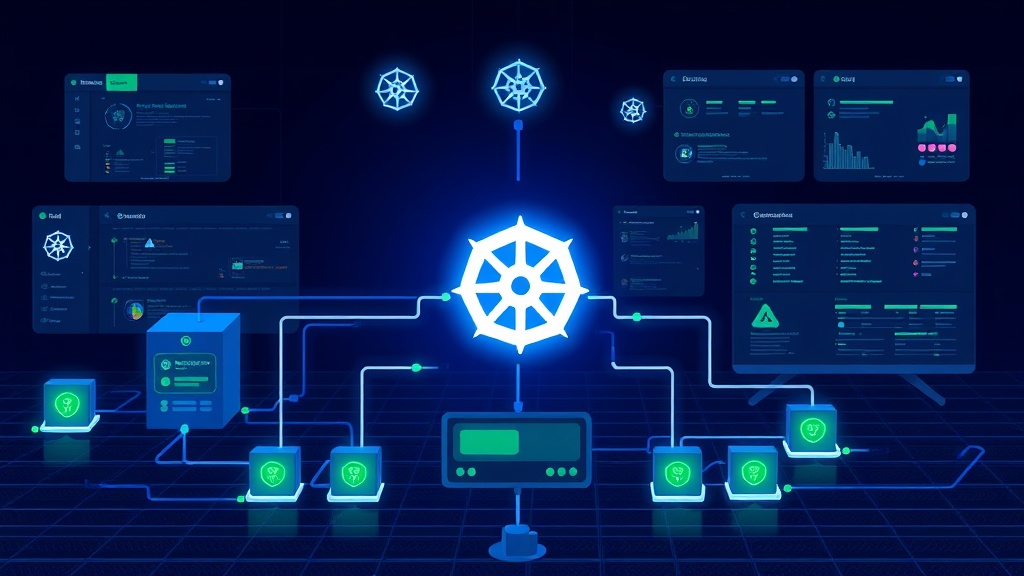
TL;DR: This guide walks you through setting up comprehensive status page monitoring for Kubernetes clusters in 2026. You'll learn to monitor pod health, cluster resources, networking, and storage while providing clear customer communication through automated status updates.
Why Kubernetes Cluster Monitoring Matters for Status Pages
Kubernetes has become the backbone of modern application infrastructure. When your K8s clusters experience issues, your customers feel the impact immediately. Without proper monitoring and status page integration, you're flying blind during outages.
In 2026, customers expect real-time visibility into service health. A well-configured status page that reflects your Kubernetes cluster state builds trust and reduces support tickets during incidents.
Essential Components to Monitor in Kubernetes
Your status page should reflect the health of these critical Kubernetes components:
Cluster-Level Health
- API server responsiveness
- etcd cluster status
- Controller manager availability
- Scheduler functionality
Node-Level Metrics
- Node readiness and availability
- Resource utilization (CPU, memory, disk)
- Network connectivity between nodes
Application-Level Indicators
- Pod health and restart counts
- Service endpoint availability
- Ingress controller status
- Persistent volume mount status
Setting Up Monitoring Infrastructure
Step 1: Deploy Monitoring Stack
Start with a robust monitoring foundation. Prometheus and Grafana remain the gold standard for Kubernetes monitoring in 2026.
apiVersion: v1
kind: ConfigMap
metadata:
  name: prometheus-config
data:
  prometheus.yml: |
    global:
      scrape_interval: 15s
    scrape_configs:
      - job_name: 'kubernetes-pods'
        kubernetes_sd_configs:
          - role: pod
        relabel_configs:
          - source_labels: [__meta_kubernetes_pod_annotation_prometheus_io_scrape]
            action: keep
            regex: true
Step 2: Configure Health Check Endpoints
Create dedicated health check endpoints for your applications. These should return meaningful status codes and JSON responses that your monitoring system can parse.
apiVersion: v1
kind: Service
metadata:
  name: app-health-check
  annotations:
    prometheus.io/scrape: "true"
    prometheus.io/port: "8080"
    prometheus.io/path: "/health"
spec:
  selector:
    app: your-application
  ports:
    - port: 8080
      targetPort: 8080
Step 3: Set Up Alerting Rules
Define alerting rules that trigger when your Kubernetes components show signs of distress. Focus on customer-impacting issues rather than internal noise.
groups:
  - name: kubernetes.rules
    rules:
      - alert: PodCrashLooping
        expr: increase(kube_pod_container_status_restarts_total[15m]) > 0
        labels:
          severity: warning
        annotations:
          summary: "Pod {{ $labels.pod }} is crash looping"

      - alert: NodeNotReady
        expr: kube_node_status_condition{condition="Ready",status="true"} == 0
        for: 5m
        labels:
          severity: critical
        annotations:
          summary: "Node {{ $labels.node }} is not ready"
Integrating with Your Status Page
Automated Status Updates
Your monitoring system should automatically update your status page when issues are detected. Modern status page platforms like Livstat offer APIs that integrate seamlessly with Kubernetes monitoring stacks.
Set up webhook notifications that trigger status page updates:
curl -X POST "https://api.livstat.com/v1/incidents" \
  -H "Authorization: Bearer YOUR_API_TOKEN" \
  -H "Content-Type: application/json" \
  -d '{
    "title": "Database Service Degradation",
    "status": "investigating",
    "affected_components": ["api", "database"]
  }'
Component Mapping Strategy
Map your Kubernetes services to status page components logically. Don't expose internal complexity to customers. Instead, group related services under customer-facing components:
- API Service: Frontend pods, backend pods, load balancer
- Data Processing: Worker pods, queue services, storage
- Authentication: Auth service pods, session storage
Real-Time Health Indicators
Implement real-time health indicators that reflect your cluster state. Use synthetic monitoring to test critical user journeys continuously.
Create readiness probes that actually test functionality:
readinessProbe:
  httpGet:
    path: /health/ready
    port: 8080
  initialDelaySeconds: 10
  periodSeconds: 5
livenessProbe:
  httpGet:
    path: /health/live
    port: 8080
  initialDelaySeconds: 30
  periodSeconds: 10
Advanced Monitoring Patterns
Multi-Cluster Visibility
If you run multiple Kubernetes clusters across regions, aggregate their health status appropriately. Show regional service availability rather than individual cluster status.
Use cluster federation or multi-cluster management tools to provide unified monitoring views.
Dependency Chain Monitoring
Monitor service dependencies explicitly. When your payment service depends on a database, authentication service, and external payment gateway, track all these dependencies.
Implement circuit breakers and dependency health checks that cascade properly to your status page.
Resource Threshold Alerting
Set up predictive alerting based on resource trends. Don't wait for resources to be completely exhausted before alerting.
- alert: HighMemoryUsage
  expr: (node_memory_MemTotal_bytes - node_memory_MemAvailable_bytes) / node_memory_MemTotal_bytes > 0.85
  for: 5m
  labels:
    severity: warning
  annotations:
    summary: "High memory usage on {{ $labels.instance }}"
Best Practices for Kubernetes Status Page Monitoring
Keep It Customer-Focused
Your status page should reflect customer experience, not internal infrastructure details. If three pods are down but the service is still responsive, don't alarm customers unnecessarily.
Implement Proper Escalation
Not every alert needs immediate status page updates. Implement escalation policies that differentiate between:
- Internal issues that don't affect customers
- Performance degradation that might impact some users
- Complete service outages requiring immediate communication
Test Your Monitoring
Regularly test your monitoring and alerting pipeline. Simulate failures in controlled environments to ensure your status page updates correctly.
Run chaos engineering experiments to validate your monitoring accuracy and timing.
Maintain Historical Data
Keep historical performance data to establish baselines and identify trends. This helps with capacity planning and proactive issue prevention.
Conclusion
Effective Kubernetes status page monitoring requires careful planning and execution. Focus on customer-impacting metrics rather than internal complexity, implement proper alerting hierarchies, and ensure your status page reflects real service availability.
By following this guide, you'll build a monitoring system that keeps customers informed while giving your team the visibility needed to maintain reliable services. Remember that the goal isn't perfect uptime – it's transparent communication and rapid issue resolution when problems occur.