Reduce Support Ticket Volume During Outages: 2026 Guide
Learn how proactive status page updates cut support ticket volume during outages by up to 80%, freeing your team to focus on fixing the actual problem.
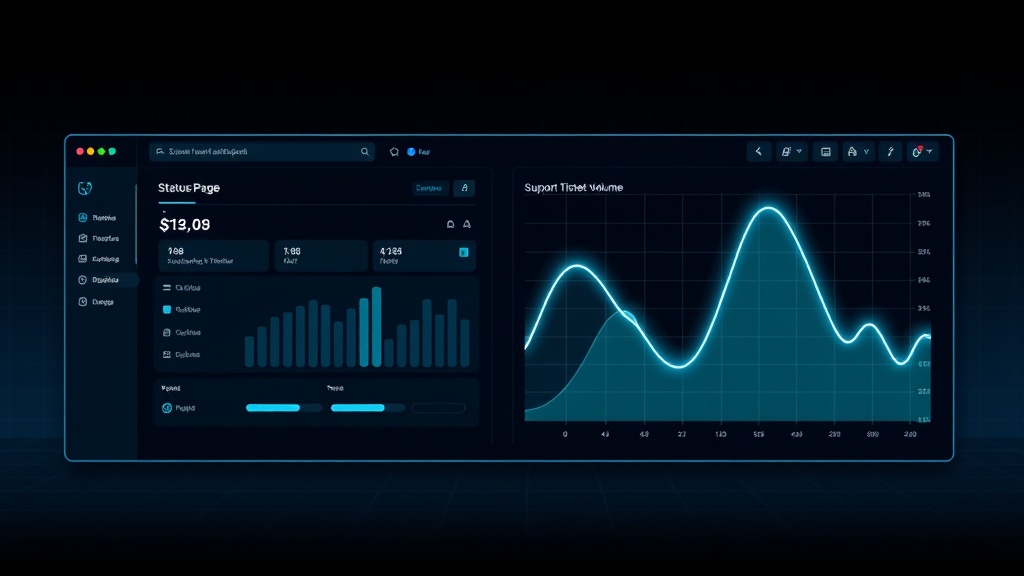
TL;DR: When an outage hits, silence is what fills your support queue — not the outage itself. Proactive, frequent status page updates deflect 60-80% of "is it down?" tickets by giving customers a place to check before they ask. This guide covers the exact cadence, messaging, and automation setup to make that happen in 2026.
When your platform goes down, the phones and inboxes light up almost instantly. But here's the uncomfortable truth: most of those tickets aren't about the outage itself. They're about the uncertainty — customers don't know if it's their internet, their account, or your servers.
Support teams at mid-size SaaS companies report that a single hour of unannounced downtime can generate 200-500+ duplicate tickets, all asking the same question in different words. That's not a support problem. That's a communication problem.
Why Silence Creates More Tickets Than the Outage Itself
Customers don't file tickets because something broke — they file tickets because they don't know what's happening. Every minute without a public acknowledgment is a minute where uncertainty compounds into a support request.
Consider the math: if your app serves 10,000 active users and 5% notice an issue during a 30-minute outage, that's 500 people wondering what's going on. Without a status page update, a meaningful chunk of them — often 15-25% — will open a ticket, message support on chat, or tag you on social media.
With a visible, updated status page, that percentage drops sharply because the answer is already in front of them before they type a single word.
The Real Cost of Reactive Support During Outages
Reactive support during incidents is expensive in ways that don't show up until later:
- Agent burnout — support reps answering the same question 300 times in an hour
- Slower resolution — engineers get pulled into support threads instead of fixing the root cause
- Trust erosion — customers who get generic "we're looking into it" replies feel unheard
- Ticket backlog — unrelated issues pile up behind the outage-driven flood, delaying everything else
A 2026 industry survey of SaaS support teams found that companies without a public status page spent 3.2x more agent-hours per incident than those with one actively maintained during outages.
The Proactive Status Page Playbook
Here's the framework top-performing teams use to keep tickets low during incidents.
1. Post the First Update Within 5 Minutes
Speed matters more than completeness. Your first update doesn't need root cause — it needs acknowledgment.
"We're aware of elevated error rates affecting the checkout API. Investigating now. Next update in 15 minutes."
This single sentence, posted fast, deflects a huge share of "is this just me?" tickets before they're even typed.
2. Commit to a Fixed Update Cadence
Ambiguity breeds tickets. Tell customers exactly when to expect the next update — every 15, 20, or 30 minutes depending on severity — and stick to it, even if the update is just "still investigating, no new information."
Customers who know an update is coming at a specific time are far less likely to open a ticket in the meantime.
3. Segment Updates by Affected Component
A generic "we're having issues" update helps less than a specific one. If your status page breaks services into components (API, dashboard, billing, mobile app), only mark what's actually affected.
This prevents unaffected customers from panicking and filing unnecessary tickets about services that are working fine.
4. Auto-Notify Subscribers Instead of Making Them Check
A status page only deflects tickets if people actually see it. Email and SMS subscriptions push the update directly to customers instead of relying on them to check a URL mid-crisis.
With Livstat, incident updates trigger automatic subscriber notifications across email, SMS, Slack, and webhooks the moment you post — so customers get the news without ever opening a ticket.
5. Link the Status Page Everywhere Support Touches
Your status page is useless if customers don't know it exists. Embed it in:
- Your app's in-product banner during active incidents
- Auto-reply templates in your help desk (Zendesk, Intercom, Freshdesk)
- Your support widget's default "before you submit" screen
- Your login page footer
Many teams add a real-time status widget directly inside the app UI so users see "We're experiencing issues, view live updates" before they ever reach for the contact form.
6. Give Support Agents a Pre-Written Response Template
For the tickets that do come through, agents shouldn't be improvising. A canned response linking to the live status page, with an estimated next-update time, closes tickets in seconds instead of minutes.
Example template:
"Thanks for flagging this! We're already tracking this issue — you can follow real-time updates here: [status page link]. We'll post the next update by [time]."
7. Close the Loop With a Resolution Update and Postmortem Link
When the incident resolves, post a clear "Resolved" update immediately. Vague endings generate follow-up tickets asking "is it actually fixed?" A confirmed resolution message, paired with a link to a fuller postmortem for major incidents, closes the loop and rebuilds trust.
Setting the Right Update Cadence by Severity
Not every incident needs the same frequency. Use this as a baseline:
| Severity | First Update | Cadence | Resolution Update |
|---|---|---|---|
| Critical (full outage) | Within 5 min | Every 15 min | Immediate |
| Major (partial degradation) | Within 10 min | Every 20-30 min | Immediate |
| Minor (limited impact) | Within 15 min | Every 30-60 min | Within 15 min |
Consistency beats perfection — customers forgive slow fixes far more readily than they forgive silence.
Measuring the Ticket Deflection Impact
To prove this works, track these metrics before and after tightening your status page process:
- Ticket volume per incident minute — tickets divided by outage duration
- Time-to-first-status-update — how fast you acknowledge publicly
- Status page traffic during incidents — spikes indicate customers are checking instead of emailing
- Deflection rate — subscribers notified vs. tickets filed by the same audience
Teams that implement a strict update cadence typically see ticket volume during incidents drop by 50-80% within the first two or three outages after rollout, as customers learn the status page is reliable and start checking it by default.
Conclusion
Support tickets during outages aren't inevitable — they're a symptom of an information gap. Every minute you don't communicate is a minute your customers fill with guesswork, and guesswork turns into tickets.
The fix isn't more support staff. It's faster, more frequent, more specific communication through a status page that's actually wired into your support workflow — auto-notifying subscribers, embedded in your app, and referenced in every agent's canned response.
Get the cadence right, and your support queue stays quiet even when your infrastructure isn't.