How to Set Up Incident Escalation Policies for DevOps Teams in 2026
Learn to build bulletproof incident escalation policies that ensure the right people respond to outages at the right time. Reduce MTTR and prevent incidents from falling through the cracks.
TL;DR: Effective incident escalation policies automatically route alerts to the right team members based on severity, time, and response patterns. Set up primary and secondary on-call schedules, define clear escalation triggers (5-15 minutes), and establish severity-based routing to reduce MTTR by up to 40%.
Why Incident Escalation Policies Matter More Than Ever
In 2026, the average enterprise application experiences 12.3 critical incidents per month. Without proper escalation policies, 67% of these incidents take longer than 30 minutes to reach the right engineer.
Your escalation policy is the bridge between detecting a problem and getting the right expertise involved. It prevents incidents from sitting in someone's inbox while customers experience downtime.
Understanding the Escalation Policy Framework
An incident escalation policy defines who gets notified, when they get notified, and what happens if they don't respond. Think of it as your incident response safety net.
The Three Core Components
Primary Response Layer: Your first line of defense. Usually the on-call engineer or team most familiar with the affected system.
Secondary Response Layer: Backup responders who step in when primary contacts don't acknowledge alerts within your defined timeframe.
Executive Escalation: Senior leadership who need visibility into prolonged or business-critical incidents.
Step 1: Define Your Incident Severity Levels
Before building escalation rules, establish clear severity classifications that trigger different response patterns.
Severity 1 (Critical)
- Complete service outage
- Data breach or security incident
- Payment processing failure
- Escalation trigger: Immediate notification + 5-minute escalation
Severity 2 (High)
- Partial service degradation
- Performance issues affecting >25% of users
- API response times >5 seconds
- Escalation trigger: 10-minute escalation window
Severity 3 (Medium)
- Minor feature issues
- Non-critical service degradation
- Monitoring alert anomalies
- Escalation trigger: 15-minute escalation window
Severity 4 (Low)
- Informational alerts
- Scheduled maintenance reminders
- Escalation trigger: No automatic escalation
Step 2: Map Your Team Structure and Expertise
Identify who should respond to different types of incidents based on their expertise and availability.
Create Response Teams by Domain
Infrastructure Team: Database issues, server outages, network problems
Backend Team: API failures, microservice issues, data processing errors
Frontend Team: UI bugs, client-side errors, performance issues
Security Team: Breach alerts, suspicious activity, compliance violations
Establish On-Call Rotations
Set up rotating schedules that distribute the on-call burden fairly:
- Primary on-call: 1-week rotations
- Secondary on-call: Overlapping 2-week rotations
- Weekend coverage: Separate rotation or extended weekday shifts
Step 3: Build Your Escalation Chains
Create escalation paths that ensure incidents don't get stuck with unavailable team members.
Basic Escalation Chain Example
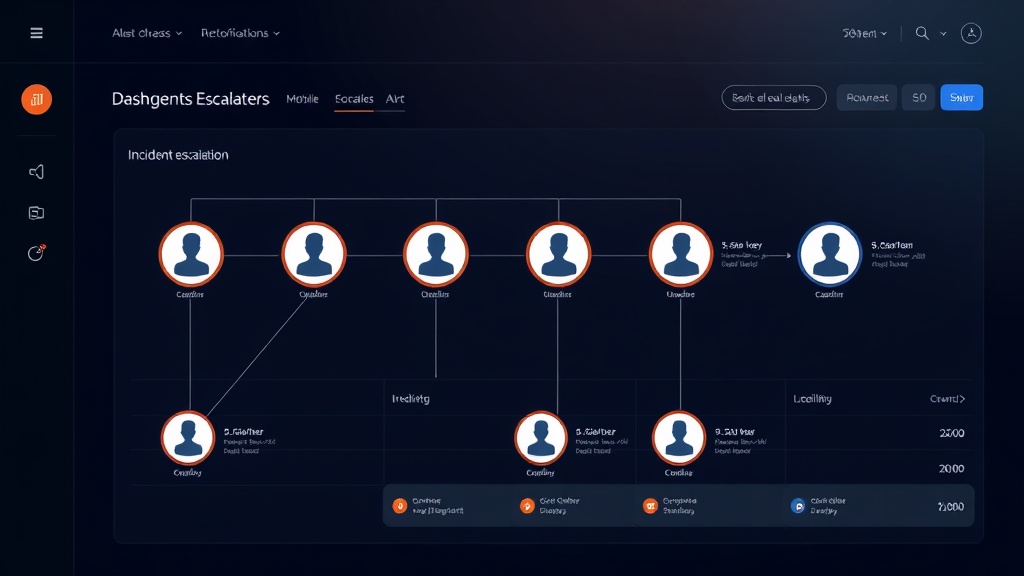
- Minute 0: Alert triggered → Primary on-call engineer
- Minute 5: No acknowledgment → Secondary on-call engineer + Team lead
- Minute 15: Still no response → Engineering manager + Director
- Minute 30: Ongoing incident → VP Engineering + Executive team
Advanced Escalation with Context
Build smarter escalation that considers:
- Time zones: Route to engineers in active hours first
- Historical response: Prioritize team members with faster acknowledgment rates
- Incident type: Route database issues directly to database specialists
Step 4: Configure Notification Channels
Diversify your notification methods to ensure alerts reach team members reliably.
Primary Channels
- SMS: Highest urgency, bypasses do-not-disturb settings
- Phone calls: For critical incidents requiring immediate attention
- Push notifications: Mobile apps for instant visibility
Secondary Channels
- Email: Detailed incident information and context
- Slack/Teams: Team collaboration and status updates
- Status pages: Customer communication (tools like Livstat can automatically update based on incident severity)
Channel Strategy by Severity
Severity 1: SMS + Phone call + Push notification
Severity 2: SMS + Push notification + Slack
Severity 3: Push notification + Slack + Email
Severity 4: Email only
Step 5: Implement Smart Escalation Rules
Move beyond simple time-based escalation with intelligent routing.
Geographic Escalation
IF incident_time = business_hours_APAC
THEN notify APAC_team
ELSE IF incident_time = business_hours_EMEA
THEN notify EMEA_team
ELSE notify Americas_team
Workload-Based Routing
Route incidents to team members based on current workload:
- Check existing incident assignments
- Consider recent on-call activity
- Factor in planned time off
Expertise-Based Escalation
Match incidents to specialists automatically:
- Database alerts → Database team
- Frontend errors → UI/UX engineers
- Security alerts → Security team
Step 6: Test and Refine Your Policies
Regular testing ensures your escalation policies work when you need them most.
Monthly Escalation Drills
- Simulate incidents during different times and days
- Measure response times at each escalation level
- Identify gaps in coverage or notification failures
- Adjust timing based on actual response patterns
Key Metrics to Track
- Time to acknowledgment by escalation level
- Escalation success rate (percentage reaching appropriate responder)
- False positive rate by incident type
- Weekend/holiday response effectiveness
Step 7: Handle Special Scenarios
Holiday and Vacation Coverage
Plan for reduced staffing:
- Maintain minimum coverage requirements
- Cross-train team members on critical systems
- Establish vendor support escalation for extended outages
High-Volume Incident Periods
During major outages or system-wide issues:
- Implement incident commander role
- Create war room protocols
- Establish communication cadence with stakeholders
Vendor and Third-Party Escalation
When incidents involve external dependencies:
- Maintain vendor contact lists with SLA commitments
- Create escalation paths to vendor technical teams
- Document service-specific escalation procedures
Common Escalation Policy Mistakes to Avoid
Over-escalation: Sending every alert to senior leadership creates alert fatigue and reduces response effectiveness.
Under-escalation: Keeping incidents at the engineer level too long can miss business-critical issues that need leadership awareness.
Rigid timing: Using the same escalation intervals for all incident types ignores the reality that different issues require different urgency levels.
Single points of failure: Relying on one person for critical system knowledge creates dangerous gaps in incident response.
Measuring Escalation Policy Effectiveness
Track these metrics to optimize your incident response:
- Mean Time to Response (MTTR): Average time from alert to engineer engagement
- Escalation rate: Percentage of incidents that require escalation beyond primary on-call
- False escalation rate: Incidents that escalate unnecessarily
- Coverage effectiveness: Percentage of incidents reaching appropriate responder within SLA
Effective escalation policies reduce MTTR by an average of 35-40% compared to ad-hoc incident response approaches.
Conclusion
Well-designed incident escalation policies transform chaotic emergency responses into predictable, efficient processes. Start with clear severity definitions, build logical escalation chains, and continuously refine based on real-world performance data.
Remember that the best escalation policy is one that gets tested regularly and evolves with your team structure and system architecture. In 2026's fast-paced DevOps environment, having the right person respond to the right incident at the right time isn't just operational excellence — it's a competitive advantage.