How to Set Up Real User Monitoring for Status Pages in 2026
Learn how to implement real user monitoring for your status page to track actual user experience and optimize incident response. Complete setup guide with practical examples.
TL;DR: Real user monitoring (RUM) for status pages tracks how actual users experience your service availability, providing insights beyond synthetic checks. Set up RUM by implementing JavaScript tracking, configuring performance metrics, analyzing user behavior patterns, and optimizing your status page based on real data.
What Is Real User Monitoring for Status Pages?
Real user monitoring (RUM) captures actual user interactions with your status page and services, providing visibility into how real people experience outages and incidents. Unlike synthetic monitoring that tests from predetermined locations, RUM collects data from every user who visits your status page.
This approach reveals critical insights about user behavior during incidents. You'll discover which components users check most frequently, how long they spend reading incident updates, and whether your status page effectively communicates service health.
RUM data helps you optimize status page design, improve incident communication, and reduce customer support burden during outages.
Why Traditional Monitoring Falls Short
Synthetic monitoring tools check your services from specific data centers using predetermined scripts. While valuable for detecting issues, they miss crucial user experience factors.
Real users access your services from diverse locations, devices, and network conditions. A user in rural Australia might experience different performance than your synthetic check from an AWS data center in Sydney.
RUM bridges this gap by capturing actual user experiences across all variables. You'll identify performance bottlenecks that synthetic monitoring misses and understand how incidents truly impact your user base.
Setting Up JavaScript-Based User Tracking
Start by implementing a lightweight JavaScript tracking solution on your status page. This script will collect user interaction data without impacting page performance.
// Basic RUM tracking implementation
(function() {
  const rumData = {
    pageLoadTime: 0,
    userAgent: navigator.userAgent,
    timestamp: Date.now(),
    interactions: []
  };

  window.addEventListener('load', function() {
    rumData.pageLoadTime = performance.now();
    sendRUMData(rumData);
  });
})();
Choose a RUM provider that offers status page-specific features. Popular options include DataDog RUM, New Relic Browser, and Google Analytics 4 with enhanced ecommerce tracking.
Ensure your tracking script loads asynchronously to avoid blocking page rendering. Users visiting during incidents need immediate access to status information.
Configuring Core Performance Metrics
Define which metrics matter most for your status page effectiveness. Focus on metrics that directly impact user experience during incidents.
Page Load Performance:
- Time to First Byte (TTFB)
- Largest Contentful Paint (LCP)
- Cumulative Layout Shift (CLS)
- First Input Delay (FID)
User Engagement Metrics:
- Time spent on page
- Scroll depth
- Click-through rates on incident updates
- Subscription signup rates
Incident-Specific Metrics:
- Status page visit frequency during incidents
- User return patterns
- Geographic distribution of affected users
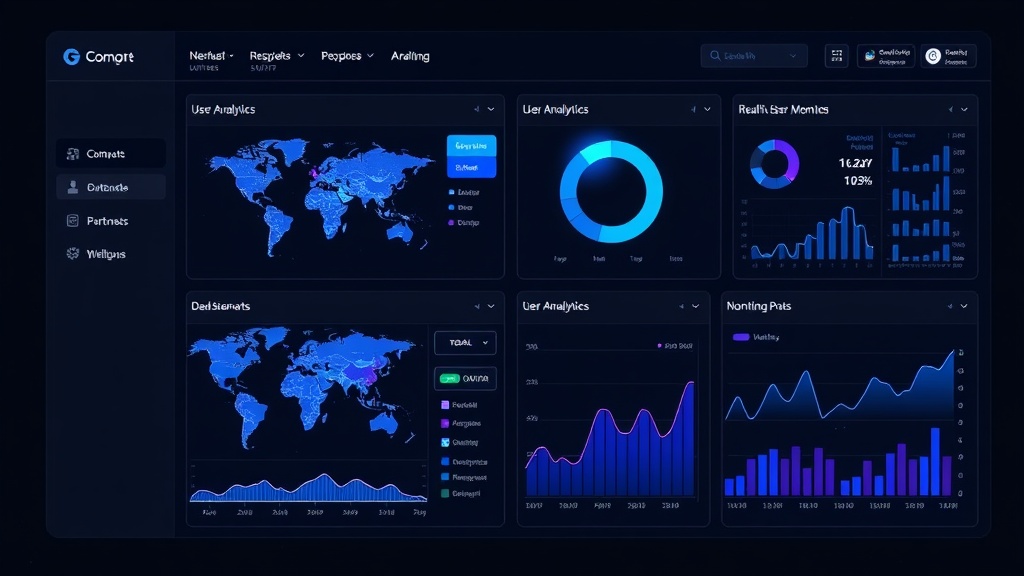
Set up dashboards that correlate these metrics with your actual service incidents. This correlation reveals how status page performance impacts user behavior during critical moments.
Implementing User Behavior Analysis
Track specific user actions to understand how people interact with your status page during normal operations and incidents.
Monitor which components users click most frequently. If users consistently check your API status during incidents, prioritize that component's visibility and update frequency.
Analyze user flow patterns through your status page. Do users immediately find the information they need, or do they navigate through multiple sections? Optimize your page structure based on these insights.
Track how users respond to different incident communication styles. A/B test incident update formats and measure user engagement metrics to identify the most effective communication approach.
Setting Up Geographic and Device Segmentation
Segment your RUM data by geographic regions to identify location-specific issues. Users in certain regions might experience different performance characteristics or incident impacts.
Create alerts for significant regional variations in status page performance. If users in Europe report slower loading times, investigate CDN configuration or hosting infrastructure in that region.
Analyze device and browser segmentation to ensure your status page works well across all user environments. Mobile users might have different needs during incidents, requiring streamlined incident communication.
Correlating RUM Data with Service Incidents
The real value of RUM comes from correlating user behavior with actual service incidents. When an incident occurs, examine how user traffic to your status page changes.
During a recent database outage at a SaaS company, RUM data showed a 300% spike in status page visits within 10 minutes of the incident start. However, users spent 40% less time reading incident updates compared to previous incidents, indicating communication could be more concise.
Set up automated correlation between incident timestamps and RUM metrics. This correlation helps you measure the effectiveness of your incident response and communication strategy.
Optimizing Status Page Performance Based on RUM Insights
Use RUM data to make data-driven improvements to your status page. If users frequently abandon the page due to slow loading times, optimize your hosting infrastructure or implement CDN acceleration.
Analyze which incident update formats generate the highest user engagement. Some users prefer detailed technical explanations, while others want brief summaries with estimated resolution times.
Implement personalization based on user patterns. If certain user segments consistently check specific components, consider offering customized status views or targeted notifications.
Advanced RUM Implementation Strategies
Integrate RUM data with your existing monitoring stack for comprehensive visibility. Tools like Livstat can combine synthetic monitoring with real user data to provide complete service health visibility.
Set up predictive analytics based on RUM patterns. If user behavior changes significantly before reported incidents, use this early warning signal to investigate potential issues proactively.
Implement real-time RUM dashboards for incident response teams. During major incidents, monitor how users interact with your status page to guide communication strategy adjustments.
Measuring RUM Implementation Success
Define success metrics for your RUM implementation:
- Reduced average time users spend searching for incident information
- Increased status page subscriber conversion rates
- Decreased support ticket volume during incidents
- Improved user satisfaction scores during outages
Track these metrics quarterly to measure RUM program effectiveness. Adjust your implementation based on changing user behavior patterns and business requirements.
Privacy and Compliance Considerations
Ensure your RUM implementation complies with privacy regulations like GDPR and CCPA. Implement proper consent mechanisms and data anonymization practices.
Clearly communicate what data you collect from status page visitors. Many users expect transparency about monitoring, especially when accessing incident information.
Regularly audit your RUM data collection practices to ensure compliance with evolving privacy regulations.
Conclusion
Real user monitoring transforms your status page from a simple incident communication tool into a data-driven user experience optimization platform. By understanding how real users interact with your status page, you can improve incident communication, reduce user frustration during outages, and build stronger customer trust.
Start with basic JavaScript tracking and core performance metrics, then gradually expand to advanced behavioral analysis and predictive capabilities. The insights you gain will significantly improve your incident response effectiveness and overall service reliability perception.