How to Set Up Status Page Monitoring for AI APIs in 2026
AI APIs require specialized monitoring due to unique failure patterns and response times. Learn how to set up comprehensive status page monitoring for your AI services with practical examples and best practices.
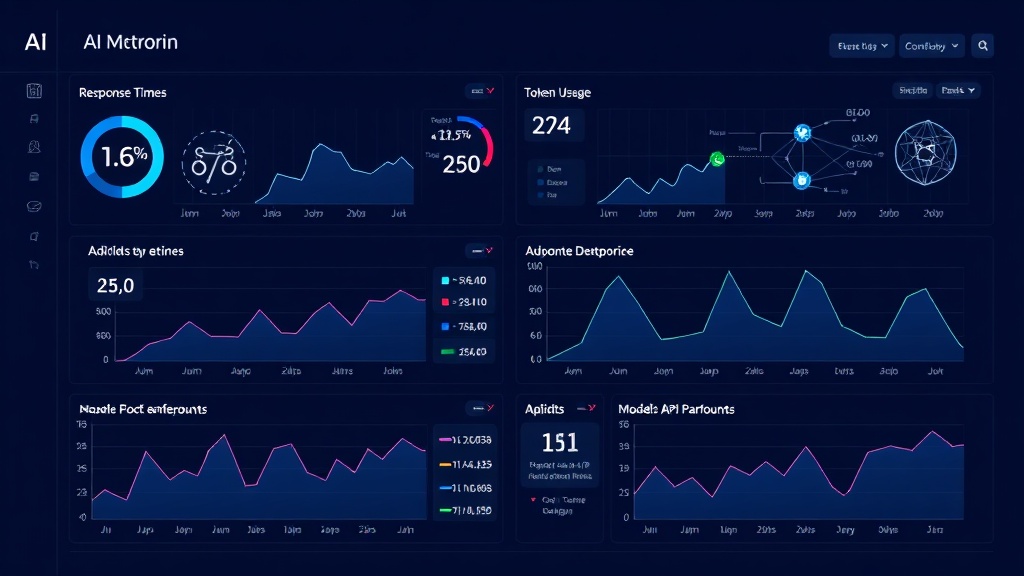
TL;DR: AI APIs have unique monitoring challenges including variable response times, token limits, and model-specific errors. Set up monitoring by tracking key metrics like inference latency and token usage, configure intelligent thresholds, and create clear incident communication that explains AI service disruptions to your users.
Why AI API Monitoring Differs from Traditional APIs
AI APIs present unique challenges that traditional monitoring approaches often miss. Unlike standard REST APIs that return predictable responses in milliseconds, AI APIs can take seconds to process complex requests, experience sudden spikes in demand, or fail in ways specific to machine learning models.
Consider OpenAI's GPT models, which may timeout during high-complexity requests, or Google's Vision API, which might struggle with certain image formats. These aren't typical HTTP 500 errors — they're nuanced failures that require specialized monitoring strategies.
Your status page needs to reflect these complexities while remaining clear to end users who may not understand the technical intricacies of AI services.
Key Metrics to Monitor for AI APIs
Response Time and Latency
AI API response times vary dramatically based on request complexity. A simple text classification might complete in 200ms, while a complex code generation request could take 30 seconds.
Set up tiered monitoring thresholds:
- Fast operations (classification, sentiment analysis): Alert if >2 seconds
- Medium operations (text generation, translation): Alert if >10 seconds
- Complex operations (code generation, image creation): Alert if >45 seconds
Track both average response times and 95th percentile latency to catch performance degradation before it affects most users.
Token Usage and Rate Limits
Most AI APIs enforce rate limits based on tokens per minute or requests per hour. Monitor your token consumption rates and remaining quotas to prevent service disruptions.
Create alerts when you approach 80% of your rate limits. This gives you time to scale your quotas or implement request queuing before hitting hard limits.
Model Availability and Versions
AI providers frequently update models or deprecate older versions. Monitor which model versions you're using and track any unexpected version changes that might affect your application's behavior.
Set up alerts for:
- Model deprecation notices
- Unexpected model version responses
- Changes in model capabilities or output formats
Error Types and Patterns
AI APIs generate unique error patterns beyond standard HTTP status codes:
- Content policy violations
- Context length exceeded errors
- Model overload or capacity issues
- Invalid prompt format errors
Track these AI-specific error types separately from general API errors to provide more accurate status reporting.
Setting Up Comprehensive AI API Monitoring
Step 1: Configure Health Checks
Create synthetic transactions that test your AI APIs with representative requests. Don't just ping endpoints — send actual prompts or data that mirror your production usage.
For a translation API, send a standard phrase and verify the response format and language detection accuracy. For an image generation API, submit a simple prompt and check that you receive valid image data.
# Example health check for translation API
def health_check_translation():
    test_prompt = "Hello, world!"
    response = translation_api.translate(test_prompt, target_lang="es")

    # Check response time
    if response.duration > 5000:  # 5 seconds
        return {"status": "degraded", "message": "High latency"}

    # Verify translation accuracy
    if "hola" not in response.text.lower():
        return {"status": "down", "message": "Translation quality issue"}

    return {"status": "operational"}
Step 2: Implement Intelligent Alerting
Standard threshold-based alerting often creates noise with AI APIs due to their variable performance. Implement dynamic thresholds that adapt to usage patterns.
Use moving averages and seasonal adjustments. If your AI API typically experiences higher latency during peak hours (when the provider's servers are busier), adjust your thresholds accordingly.
Set up escalation rules:
- Warning: Performance degrades but service remains functional
- Partial outage: Some AI features unavailable or severely degraded
- Major outage: Core AI functionality completely unavailable
Step 3: Create User-Friendly Status Communications
AI service disruptions can be complex to explain. Your status page should translate technical issues into clear, actionable information for users.
Instead of: "GPT-4 model experiencing high token processing latency"
Write: "AI responses may be slower than usual. Your requests are still being processed."
Provide context about impact:
- Which features are affected
- Expected response times during the issue
- Whether requests are being queued or need to be retried
- Estimated resolution timeline
Advanced Monitoring Strategies
Multi-Provider Monitoring
Many applications use multiple AI providers for redundancy. Monitor each provider separately and track your fallback logic performance.
If your primary image generation API fails, monitor how quickly your system switches to the backup provider and whether the fallback maintains acceptable quality standards.
Quality Metrics Beyond Uptime
Track output quality metrics alongside availability:
- Response relevance scores
- Content safety flags
- Output format consistency
- Semantic accuracy for known test cases
These metrics help you detect subtle degradations that might not trigger standard uptime alerts but could significantly impact user experience.
Regional Performance Monitoring
AI APIs often have regional performance variations. Monitor response times and success rates from different geographic locations to identify regional issues.
Some AI providers route traffic differently based on user location, and model availability can vary by region.
Integration and Automation
Connect Multiple Data Sources
Integrate monitoring data from:
- Your application's AI usage logs
- Third-party AI provider status pages
- Infrastructure monitoring (if you're hosting models)
- User feedback and support tickets related to AI features
This comprehensive view helps you correlate AI performance issues with user-reported problems.
Automated Incident Response
Set up automated responses for common AI API issues:
- Queue requests during rate limit periods
- Switch to backup providers automatically
- Scale API quotas when approaching limits
- Notify users proactively about known issues
Platforms like Livstat can help automate these incident response workflows, ensuring your team responds quickly to AI service disruptions.
Testing Your AI Monitoring Setup
Regularly test your monitoring configuration with chaos engineering approaches:
- Simulated overload: Send burst requests to test rate limit handling
- Model switching: Test monitoring when providers update models
- Regional failures: Use VPN connections to test regional monitoring
- Quality degradation: Submit edge cases that might reveal quality issues
Document the results and refine your monitoring thresholds based on real-world performance data.
Conclusion
Effective AI API monitoring requires understanding the unique characteristics of machine learning services — variable response times, quality metrics beyond uptime, and complex failure modes that don't fit traditional monitoring patterns.
By implementing comprehensive monitoring that tracks both technical performance and output quality, setting up intelligent alerting that adapts to AI service patterns, and creating clear status communications that help users understand AI-specific issues, you'll build a robust foundation for reliable AI-powered applications.
The key is treating AI APIs not just as another web service, but as sophisticated systems that require specialized monitoring approaches to ensure consistent user experiences in 2026 and beyond.