How to Set Up Status Page Monitoring for Database Performance
Learn to monitor database performance with automated status pages. This guide covers key metrics, monitoring setup, and real-time alerting for database reliability.
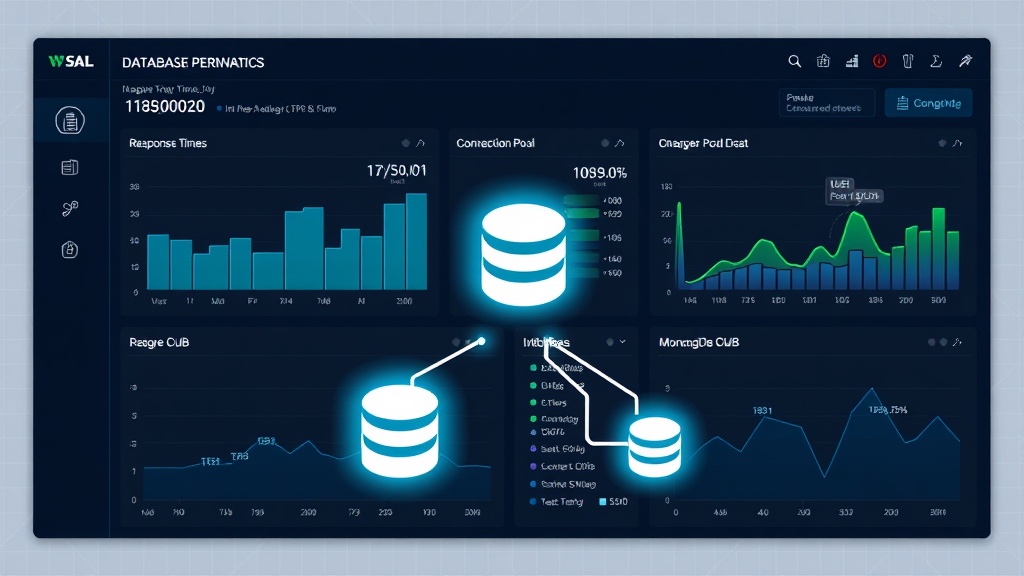
TL;DR: Database performance monitoring through status pages requires tracking key metrics like query response time, connection pools, and replication lag. Set up automated checks for CPU usage, memory consumption, and disk I/O while configuring alerts for performance thresholds. This guide shows you how to implement comprehensive database monitoring that keeps your team and users informed of any performance issues.
Why Database Performance Monitoring Matters
Your database is the backbone of your application. When it slows down or fails, everything grinds to a halt. In 2026, with increasingly complex data requirements and user expectations for instant responses, database performance monitoring isn't optional—it's critical.
Studies show that a 100ms increase in database response time can reduce user engagement by up to 7%. More importantly, database issues are often the root cause of broader system failures that can cost businesses thousands of dollars per minute of downtime.
Status page monitoring for database performance gives you early warning signals and transparent communication with stakeholders when issues arise.
Essential Database Performance Metrics to Monitor
Response Time and Query Performance
Query response time is your primary indicator of database health. Monitor average, median, and 95th percentile response times for critical queries.
Set up monitoring for:
- SELECT query response times
- INSERT/UPDATE/DELETE operation speeds
- Complex join operations
- Stored procedure execution times
A healthy database typically maintains sub-100ms response times for simple queries and under 1 second for complex operations.
Connection Pool Metrics
Database connection exhaustion is a common cause of application failures. Track these connection metrics:
- Active connections vs. maximum pool size
- Connection acquisition time
- Connection timeout errors
- Idle connection count
When your connection pool utilization exceeds 80%, it's time to investigate potential issues or scale your database infrastructure.
Resource Utilization
Monitor your database server's hardware resources to prevent performance bottlenecks:
CPU Usage: Database CPU should typically stay below 70% during normal operations. Sustained high CPU usage indicates inefficient queries or insufficient hardware.
Memory Consumption: Track buffer pool usage, cache hit ratios, and memory allocation. Poor cache performance often signals the need for query optimization or additional RAM.
Disk I/O: Monitor read/write operations per second, disk queue length, and storage latency. High disk wait times can severely impact query performance.
Replication and Backup Status
For databases with replication:
- Replication lag between primary and secondary servers
- Failed replication attempts
- Backup completion status and duration
Replication lag exceeding 30 seconds can indicate network issues or resource constraints on your secondary servers.
Setting Up Database Monitoring Checks
Configure Health Check Endpoints
Create dedicated health check endpoints that test actual database functionality:
-- Simple connectivity test
SELECT 1;

-- Performance test with realistic query
SELECT COUNT(*) FROM users WHERE last_login > NOW() - INTERVAL 24 HOUR;

-- Connection pool test
SHOW PROCESSLIST;
These endpoints should return consistent response formats that your monitoring system can parse for both success/failure status and performance metrics.
Implement Query Performance Monitoring
Set up monitoring for your most critical database operations. Identify queries that:
- Run frequently (more than 100 times per minute)
- Support core business functions
- Have historically caused performance issues
- Access large datasets
For each critical query, establish baseline performance metrics and set alerts when response times exceed normal ranges by 50% or more.
Monitor Database-Specific Metrics
For MySQL:
- Slow query log analysis
- InnoDB buffer pool efficiency
- Table lock wait times
For PostgreSQL:
- Connection statistics from pg_stat_activity
- Query performance from pg_stat_statements
- Vacuum and analyze operations
For MongoDB:
- Document read/write ratios
- Index usage statistics
- Replica set member health
Configuring Performance Thresholds and Alerts
Establish Baseline Performance
Before setting alerts, collect at least two weeks of performance data during normal operations. This baseline helps you set realistic thresholds that minimize false positives.
Analyze your data to identify:
- Normal operating ranges for key metrics
- Peak usage patterns
- Seasonal variations in database load
Set Multi-Tier Alert Thresholds
Implement tiered alerting to match response urgency with issue severity:
Warning Level (Yellow):
- Query response time 25% above baseline
- CPU usage above 60%
- Connection pool 70% utilized
- Replication lag over 15 seconds
Critical Level (Red):
- Query response time 50% above baseline
- CPU usage above 85%
- Connection pool 90% utilized
- Replication lag over 60 seconds
- Any connection timeouts or query failures
Configure Smart Alerting Rules
Avoid alert fatigue by implementing intelligent alerting:
- Time-based thresholds: Require issues to persist for 2-3 minutes before triggering alerts
- Percentage-based alerts: Alert when metrics deviate significantly from historical norms
- Composite conditions: Combine multiple metrics to reduce false positives
For example, only alert on high CPU usage if it's accompanied by increased query response times or connection pool pressure.
Real-Time Status Page Updates
Automate Status Updates
Your status page should automatically reflect database performance without manual intervention. Configure your monitoring system to:
- Update component status based on health check results
- Post incident updates when performance degrades
- Automatically resolve incidents when metrics return to normal
- Include relevant performance metrics in status updates
Create Meaningful Status Messages
When database performance issues occur, provide clear, actionable status updates:
❌ Poor: "Database experiencing issues"
✅ Better: "Database response times elevated (avg 450ms, normal <200ms). Investigating query performance on user authentication system. No data loss expected."
Display Performance Metrics
Consider showing real-time database performance metrics on your status page. Users and internal teams can see:
- Current average response time
- Connection pool utilization percentage
- Recent query success rate
This transparency builds trust and helps stakeholders understand the scope of any issues.
Integrating with Existing Monitoring Tools
Database Native Monitoring
Most databases provide built-in monitoring capabilities. Integrate these with your status page system:
- MySQL Performance Schema
- PostgreSQL statistics collector
- MongoDB Profiler
- Oracle Enterprise Manager
These tools provide detailed metrics that can trigger status page updates through API calls or webhooks.
APM Integration
Application Performance Monitoring tools like New Relic, DataDog, or Dynatrace often include database monitoring. Configure these tools to send alerts to your status page system when database performance thresholds are breached.
Custom Monitoring Scripts
For unique requirements, develop custom monitoring scripts that:
- Query database performance metrics directly
- Parse log files for error patterns
- Test specific business-critical queries
- Report results to your status page via API
Platforms like Livstat make it easy to integrate custom monitoring through webhook endpoints and API calls, allowing you to build sophisticated database monitoring workflows.
Best Practices for Database Status Monitoring
Regular Threshold Reviews
Database performance characteristics change as your application grows. Review and adjust your monitoring thresholds quarterly:
- Analyze false positive rates
- Update baselines based on recent performance data
- Add monitoring for new critical queries or features
- Remove monitoring for deprecated functionality
Proactive Performance Testing
Implement synthetic monitoring that regularly tests database performance under controlled conditions:
- Run representative queries at regular intervals
- Test database failover procedures
- Verify backup and recovery processes
- Simulate high-load scenarios
Documentation and Runbooks
Maintain clear documentation for your database monitoring setup:
- Threshold justifications and baseline data
- Alert escalation procedures
- Common performance issue remediation steps
- Database topology and dependency maps
Conclusion
Effective database performance monitoring through status pages requires a strategic approach that balances comprehensive coverage with actionable alerts. By monitoring key performance metrics, setting intelligent thresholds, and providing transparent status updates, you can catch database issues before they impact users while keeping stakeholders informed throughout any incidents.
Start with the essential metrics—response time, resource utilization, and connection health—then expand your monitoring as you identify patterns and pain points specific to your database workload. Remember that good monitoring is about early detection and clear communication, not just collecting data.