How to Monitor Database Uptime and Performance in 2026
Learn essential strategies for monitoring database health, from uptime checks to performance metrics. Discover tools and techniques that prevent downtime and optimize database performance.
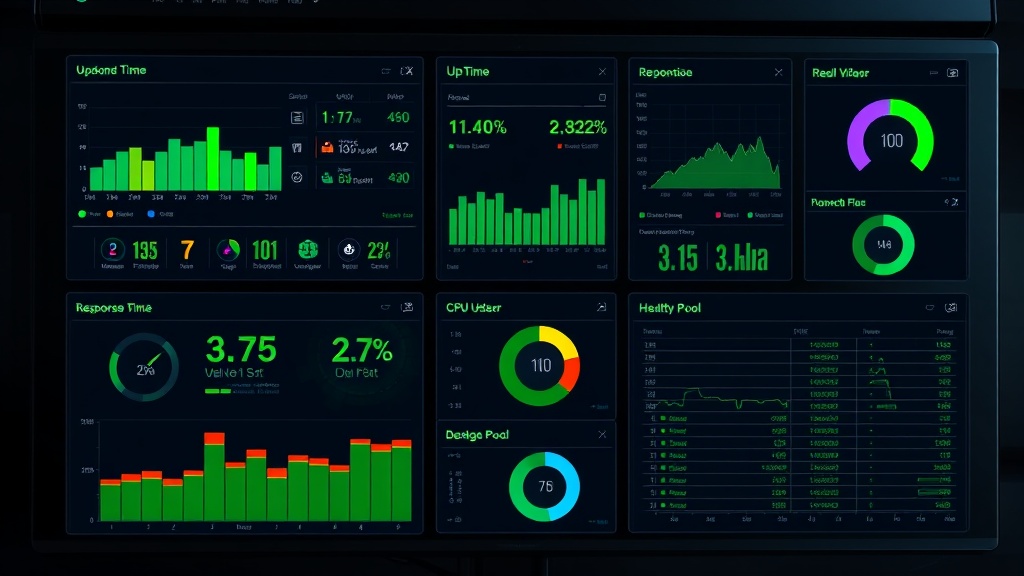
TL;DR: Database monitoring requires tracking both uptime and performance metrics like response time, CPU usage, and connection counts. Use automated tools for real-time alerts, establish baseline metrics, and implement comprehensive logging to prevent outages and maintain optimal performance.
Why Database Monitoring Matters More Than Ever
Your database is the heart of your application. When it fails, everything stops. In 2026, with increasingly complex architectures and higher user expectations, database monitoring has become critical for business continuity.
A single database outage can cost companies thousands of dollars per minute. Beyond financial impact, database issues damage user trust and brand reputation. That's why proactive monitoring isn't optional—it's essential.
Modern applications generate massive amounts of data, putting unprecedented strain on database systems. Without proper monitoring, performance degradation creeps in slowly, then hits you like a wall during peak traffic.
Essential Database Metrics to Track
Uptime and Availability
Database uptime is your first line of defense. Track these key availability metrics:
- Connection success rate: Monitor failed connection attempts to detect early warning signs
- Service availability: Use health checks every 30-60 seconds to verify database responsiveness
- Failover time: Measure how quickly your system recovers from primary database failures
Set up automated ping tests to your database endpoints. If you can't connect, your users can't either.
Performance Metrics
Performance monitoring goes beyond simple up/down status. Track these critical metrics:
Query Response Time
- Average query execution time
- 95th and 99th percentile response times
- Slow query identification and analysis
Resource Utilization
- CPU usage percentage
- Memory consumption
- Disk I/O operations per second
- Network throughput
Database-Specific Metrics
- Active connections vs. connection pool size
- Lock wait time and deadlock frequency
- Buffer hit ratio
- Transaction throughput
Setting Up Comprehensive Database Monitoring
1. Choose Your Monitoring Stack
Select tools that match your database technology and infrastructure:
For MySQL/PostgreSQL:
- Prometheus + Grafana for metrics visualization
- pt-query-digest for MySQL query analysis
- pgBadger for PostgreSQL log analysis
For NoSQL databases:
- MongoDB Compass for MongoDB monitoring
- DataStax OpsCenter for Cassandra
- Redis CLI with custom scripts for Redis
Cloud-native options:
- Amazon RDS Performance Insights
- Google Cloud SQL Insights
- Azure Database Monitoring
2. Establish Baseline Performance
Before setting alerts, understand your database's normal behavior:
- Run performance tests during different load conditions
- Document typical response times for common queries
- Identify peak usage patterns and resource consumption
- Record normal connection counts and transaction volumes
This baseline data helps you set meaningful thresholds and avoid false alarms.
3. Configure Real-Time Alerts
Set up tiered alerting based on severity:
Critical Alerts (immediate response required):
- Database connection failures
- Response time > 5 seconds
- CPU usage > 90% for 5+ minutes
- Available connections < 10%
Warning Alerts (investigation needed):
- Response time > 2 seconds
- CPU usage > 70% for 10+ minutes
- Slow query count increasing
- Memory usage > 80%
Use multiple notification channels—email, Slack, SMS, or PagerDuty—to ensure alerts reach the right people.
4. Implement Health Checks
Create comprehensive health check endpoints that verify:
- Basic connectivity to the database
- Ability to execute simple queries
- Connection pool availability
- Dependent service connectivity
Run these checks frequently (every 30-60 seconds) from multiple locations to catch regional issues.
Advanced Monitoring Strategies
Query Performance Analysis
Slow queries are performance killers. Implement automated query analysis:
- Enable slow query logs with appropriate thresholds
- Use query execution plan analysis to identify inefficient queries
- Track query frequency to spot problematic patterns
- Monitor index usage and identify missing indexes
Set up alerts when new slow queries appear or when existing queries suddenly degrade.
Connection Monitoring
Database connection issues often precede major outages:
- Monitor active vs. idle connections
- Track connection creation and destruction rates
- Alert on connection pool exhaustion
- Monitor connection timeouts and errors
Connection spikes often indicate application issues or potential DDoS attacks.
Replication and Backup Monitoring
For databases with replication or clustering:
- Monitor replication lag between primary and secondary nodes
- Verify backup completion and integrity
- Check cluster health and node synchronization
- Alert on split-brain scenarios in clustered setups
Regularly test your backup restoration process—unrestored backups are worthless.
Integrating Database Monitoring with Status Pages
Transparency builds trust with your users. When database issues occur, communicate proactively through your status page.
Modern monitoring platforms like Livstat can automatically update your status page based on database health checks. This integration ensures users stay informed about service issues without manual intervention.
Connect your database monitoring alerts directly to your status page updates. When your database monitoring detects an issue, your status page should reflect the impact immediately.
Best Practices for Database Monitoring
Monitoring in Production vs. Non-Production
Apply different monitoring strategies based on environment:
Production:
- Monitor everything continuously
- Set aggressive alert thresholds
- Implement redundant monitoring systems
- Log all performance metrics
Staging/Development:
- Focus on performance regression detection
- Monitor resource usage during load tests
- Track deployment impact on performance
- Use less frequent monitoring intervals
Security and Compliance Monitoring
Database security monitoring is crucial:
- Monitor failed authentication attempts
- Track privilege escalation attempts
- Log data access patterns
- Alert on unusual query patterns
- Monitor SSL certificate expiration
Comply with regulations like GDPR, HIPAA, or PCI-DSS by maintaining comprehensive audit logs.
Automation and Self-Healing
Implement automated responses to common issues:
- Restart services automatically on specific error conditions
- Scale resources dynamically based on load
- Clear connection pools when thresholds are exceeded
- Rotate logs automatically to prevent disk space issues
Always log automated actions and notify administrators of interventions.
Troubleshooting Common Database Issues
Performance Degradation
When response times increase:
- Check recent query execution plans
- Verify index effectiveness
- Examine resource utilization trends
- Review recent application deployments
- Analyze connection patterns
Connection Problems
For connection failures:
- Verify network connectivity
- Check connection pool configuration
- Review firewall and security group rules
- Examine authentication logs
- Monitor DNS resolution
High Resource Usage
When CPU or memory spikes:
- Identify resource-intensive queries
- Check for runaway processes
- Analyze recent data growth
- Review concurrent connection counts
- Examine backup or maintenance job schedules
Conclusion
Effective database monitoring requires a multi-layered approach combining uptime checks, performance metrics, and proactive alerting. Focus on establishing baseline performance, implementing comprehensive health checks, and creating actionable alerts that help you respond quickly to issues.
Remember that monitoring is only valuable if it leads to action. Regularly review your monitoring data, refine your thresholds, and continuously improve your database infrastructure based on the insights you gather. With proper monitoring in place, you can prevent most database issues before they impact your users.