How to Set Up Status Page Maintenance Windows in 2026
Learn how to properly configure maintenance windows on your status page to keep users informed during planned downtime. Complete guide with best practices and timing strategies.
TL;DR: Maintenance windows are scheduled announcements on your status page that inform users about planned downtime or service disruptions. Set them up by choosing optimal timing, crafting clear messaging, providing regular updates, and following up with resolution confirmation. Proper maintenance windows reduce support tickets by 70% and maintain user trust during planned outages.
What Are Status Page Maintenance Windows?
Maintenance windows are pre-scheduled notifications that appear on your status page to inform users about upcoming planned service interruptions. Unlike incident reports that respond to unexpected outages, maintenance windows proactively communicate scheduled downtime for updates, patches, infrastructure changes, or system improvements.
These windows serve as your primary communication channel during planned maintenance, helping users adjust their workflows and reducing confusion when services become temporarily unavailable.
Why Maintenance Windows Matter for Your Business
Properly configured maintenance windows significantly impact user experience and business operations. Companies that announce planned maintenance see 70% fewer support tickets during downtime compared to those that don't communicate proactively.
Users appreciate transparency. When you inform them about scheduled maintenance in advance, they can plan their work around the downtime rather than encountering unexpected service interruptions. This proactive approach builds trust and demonstrates professionalism.
Maintenance windows also protect your SLA metrics. Planned downtime typically doesn't count against your uptime commitments, but only if you've properly communicated the maintenance schedule to users beforehand.
Step 1: Plan Your Maintenance Schedule
Choose Optimal Timing
Timing is everything when scheduling maintenance windows. Analyze your traffic patterns over the past three months to identify low-usage periods. Most businesses find their optimal maintenance windows fall during these times:
- Weekends between 2 AM and 6 AM local time
- Early weekday mornings (3 AM to 7 AM)
- Holiday periods with reduced business activity
For global services, coordinate across time zones. What's 3 AM for your primary user base might be peak hours elsewhere. Consider using tools that show multiple time zones simultaneously when scheduling maintenance.
Calculate Required Duration
Always add buffer time to your maintenance estimates. If your technical team says they need 2 hours, schedule a 3-hour window. This padding accounts for unexpected complications and prevents the embarrassment of extending maintenance windows mid-process.
Break down your maintenance into phases:
- Pre-maintenance checks (15-30 minutes)
- Actual maintenance work
- Post-maintenance verification (30-60 minutes)
- Buffer time (25-50% of total estimated duration)
Step 2: Configure Your Maintenance Window
Set Up the Basic Details
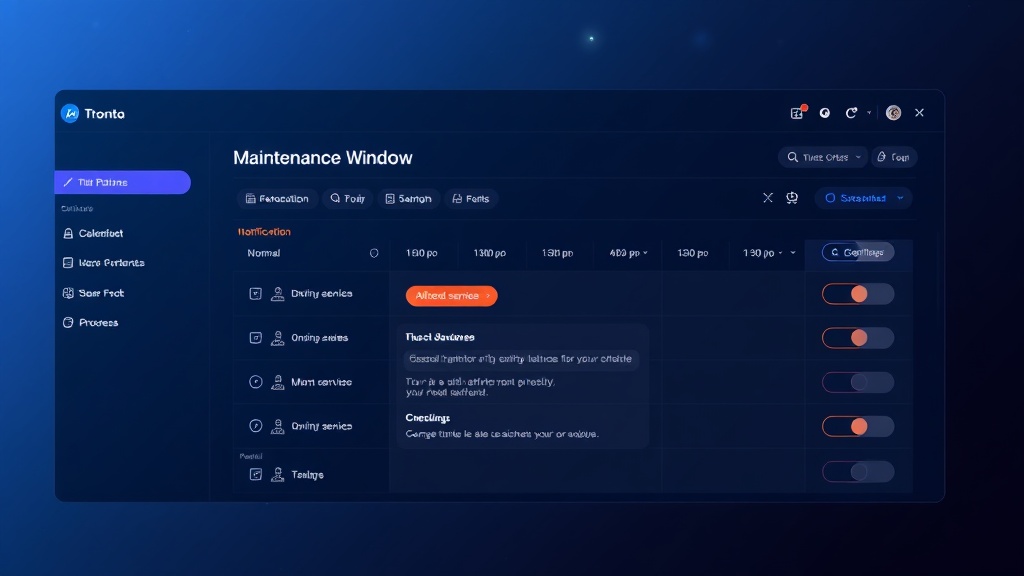
Start by accessing your status page dashboard and navigating to the maintenance scheduling section. Most modern status page platforms, including Livstat, provide intuitive interfaces for creating maintenance windows.
Fill in these essential details:
- Title: Clear, descriptive name (e.g., "Database Performance Optimization")
- Start date and time: When maintenance begins
- End date and time: When you expect to complete maintenance
- Affected services: Which components or services will be impacted
- Impact level: Partial outage, full outage, or degraded performance
Select Affected Components
Be specific about which services will be affected. Don't just say "all services" if only your API will be down. Users running your mobile app might continue working normally while web dashboard users experience issues.
Create a clear hierarchy:
- Primary affected services: Completely unavailable during maintenance
- Secondary affected services: May experience slower performance or limited functionality
- Unaffected services: Continue operating normally
Choose Notification Timing
Set up multiple notification touchpoints:
- Initial announcement: 7-14 days before maintenance for major updates
- Reminder notification: 24-48 hours before maintenance
- Final reminder: 1-2 hours before maintenance begins
- Start notification: When maintenance actually begins
- Progress updates: Every 30-60 minutes during extended maintenance
- Completion notification: When maintenance finishes
Step 3: Craft Effective Maintenance Messaging
Write Clear Initial Announcements
Your initial maintenance announcement should answer these key questions:
- What maintenance are you performing?
- When will it happen (include time zones)?
- How long will it take?
- Which services will be affected?
- What should users expect during the maintenance?
Example announcement:
Scheduled Database Optimization - January 15, 2026

We'll be performing database optimization to improve overall platform performance.

Scheduled Time: January 15, 2026, 3:00 AM - 6:00 AM EST (8:00 AM - 11:00 AM UTC)
Affected Services: Web dashboard, mobile API
Expected Impact: Complete service unavailability
Unaffected Services: Data collection continues normally

During this maintenance, you won't be able to access your dashboard or receive real-time alerts. All monitoring data will be preserved and available once maintenance completes.
Provide Regular Updates
During maintenance, update your status page every 30-60 minutes with progress reports. These updates keep users informed and demonstrate that work is progressing as planned.
Good progress updates include:
- Current phase of maintenance
- Percentage completion (if measurable)
- Any delays or complications
- Revised completion estimates if needed
Handle Complications Transparently
When maintenance takes longer than expected, communicate immediately. Users prefer honest updates over silence. Explain what's happening, provide revised timelines, and apologize for any inconvenience.
Step 4: Execute Your Maintenance Window
Start on Schedule
Begin your maintenance exactly when announced. Starting early confuses users, while starting late erodes trust in your scheduling accuracy.
Update your status page the moment maintenance begins, even if users won't immediately notice service changes.
Monitor and Update Continuously
Assign someone to manage status page communications throughout the maintenance window. This person should:
- Post regular progress updates
- Respond to user questions on social media or support channels
- Coordinate with technical teams about progress
- Make decisions about timeline adjustments
Complete Thoroughly
Don't rush the completion phase. Verify that all services are functioning properly before announcing maintenance completion. Nothing damages credibility like declaring maintenance complete only to discover lingering issues.
Step 5: Follow Up After Maintenance
Confirm Successful Completion
Post a completion message that includes:
- Confirmation that all services are operational
- Summary of improvements made
- Thanks to users for their patience
- Contact information for any post-maintenance issues
Conduct a Post-Maintenance Review
Within 24-48 hours, review your maintenance window execution:
- Did you complete within the scheduled time?
- Were your communications clear and timely?
- Did you encounter any unexpected issues?
- What would you do differently next time?
Document these insights to improve future maintenance windows.
Best Practices for Maintenance Windows
Automate Where Possible
Many status page platforms offer automation features for maintenance windows. Set up automatic notifications for start times, progress reminders, and completion confirmations to ensure consistent communication even if your team gets busy with technical work.
Consider Your Global Audience
If you serve users across multiple time zones, consider the impact on each region. Sometimes splitting maintenance across multiple shorter windows serves users better than one long global maintenance period.
Be Conservative with Estimates
It's better to finish maintenance early and surprise users positively than to run over schedule and disappoint them. Conservative time estimates also provide buffer for unexpected complications.
Test Your Process
Run through your maintenance window process during non-critical updates to identify areas for improvement. Practice makes perfect, especially for communication workflows.
Conclusion
Well-executed maintenance windows transform potentially disruptive service interruptions into professional, trust-building communications. By planning carefully, communicating clearly, and following through consistently, you'll maintain user confidence even during necessary downtime.
Remember that maintenance windows are opportunities to demonstrate your commitment to service reliability and transparent communication. Users who feel informed and respected during planned maintenance are more likely to remain loyal customers when unexpected incidents occur.
Start implementing these maintenance window practices with your next scheduled update, and you'll quickly see the benefits in reduced support load and improved user satisfaction.