How to Set Up Status Page Branding and Customization (2026 Guide)
Learn how to customize your status page with brand colors, logos, and custom domains to build trust and maintain brand consistency during incidents.
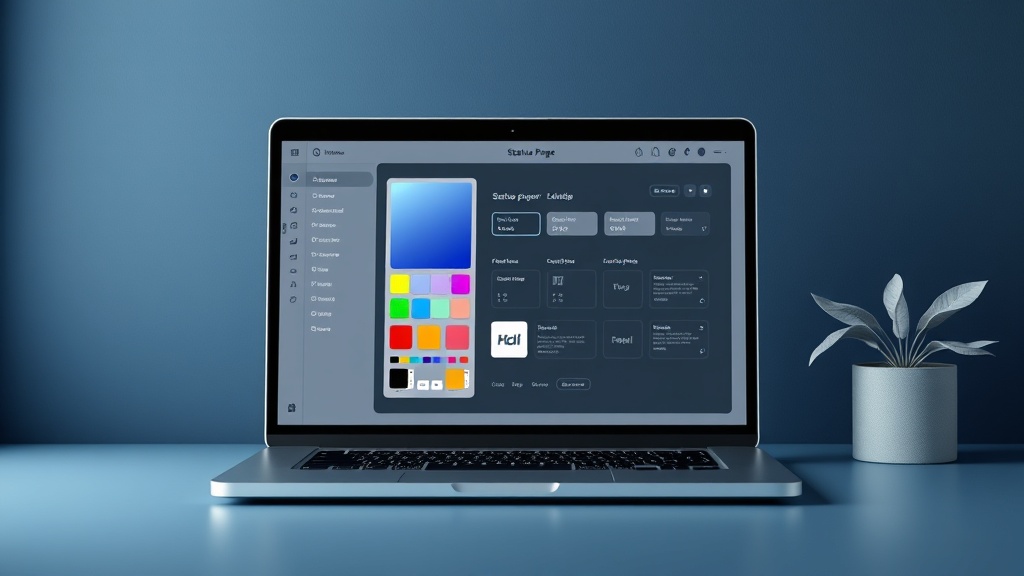
TL;DR: A well-branded status page builds trust and maintains professional credibility during outages. This guide covers customizing colors, logos, domains, and messaging to match your brand identity while ensuring clear incident communication.
Why Status Page Branding Matters
Your status page often becomes a customer's first stop during service disruptions. A generic, unbranded page can damage trust and make incidents feel more severe than they actually are.
When Stripe experienced API issues in early 2026, their consistently branded status page (status.stripe.com) helped maintain customer confidence. The familiar colors and messaging reinforced that the company was actively managing the situation.
Branded status pages also improve customer experience. When users land on a page that looks and feels like your main product, they're more likely to trust the information and feel confident in your technical capabilities.
Planning Your Status Page Brand Identity
Align with Your Main Brand
Your status page should feel like a natural extension of your website. Start by gathering these brand elements:
- Primary and secondary color palette (hex codes)
- Logo files in SVG and PNG formats
- Typography preferences (web-safe fonts)
- Brand voice and tone guidelines
- Any specific messaging frameworks you use
Document these elements before you begin customization. This prevents inconsistencies and saves time during implementation.
Consider User Context
Remember that users visiting your status page are likely experiencing frustration. Your branding should be professional and reassuring, not playful or casual.
Use calming colors for incident banners. Avoid bright reds or alarming orange tones that might increase anxiety. Instead, opt for muted blues or greys that convey stability and control.
Setting Up Visual Branding Elements
Logo Configuration
Start with your logo placement and sizing. Most modern status page platforms allow you to upload both light and dark versions of your logo.
Upload high-resolution images (at least 300x100 pixels) to ensure crisp display on high-DPI screens. SVG format is ideal because it scales perfectly across all devices and screen sizes.
Position your logo prominently at the top of the page. This immediate brand recognition helps users confirm they're in the right place, especially when they arrive via direct links or search results.
Color Scheme Implementation
Apply your brand colors systematically across the page:
- Header background: Use your primary brand color
- Navigation elements: Secondary or accent colors
- Status indicators: Maintain standard conventions (green for operational, yellow for degraded, red for outages)
- Text and links: Ensure sufficient contrast for accessibility
Test color combinations against WCAG 2.1 accessibility standards. Poor contrast ratios make your status page difficult to read, especially during stressful situations.
Typography and Layout
Choose fonts that match your website's typography. If you use custom fonts, ensure they're web-safe and load quickly.
Keep layouts clean and scannable. During incidents, users want information fast. Avoid cluttered designs that hide critical updates or make navigation confusing.
Custom Domain Setup
Why Custom Domains Matter
Using a subdomain like status.yourcompany.com instead of yourcompany.statuspage.io builds credibility and improves SEO. It also makes the URL more memorable and easier to share.
Custom domains also provide better control over SSL certificates and DNS configuration, which becomes important for enterprise customers with strict security requirements.
Implementation Steps
- Choose your subdomain: Status, system, or health are common choices
- Configure DNS records: Add CNAME records pointing to your status page provider
- Set up SSL certificates: Most providers handle this automatically
- Update all references: Change bookmarks, documentation, and automated systems
- Test thoroughly: Verify the domain works across different networks and devices
Platforms like Livstat streamline this process by providing step-by-step domain configuration guides and automatic SSL certificate provisioning.
DNS Considerations
Use a separate DNS provider for your status page domain when possible. If your primary DNS goes down, you want your status page to remain accessible so you can communicate about the outage.
Consider using a CDN for global accessibility. Status pages should load quickly from anywhere in the world, especially during widespread incidents.
Content and Messaging Customization
Incident Communication Templates
Develop branded templates for different incident types:
Initial notification: "We're investigating reports of [service] being unavailable. We'll update you as soon as we have more information."
Progress update: "We've identified the issue with [specific component] and are implementing a fix. Expected resolution time: [timeframe]."
Resolution: "The issue has been resolved. All services are operating normally. We apologize for the inconvenience."
Maintain your brand voice while being clear and concise. Avoid technical jargon that might confuse non-technical users.
Service Naming Consistency
Use the same service names that appear in your main product. If you call something "Payment Processing" in your app, don't call it "Billing System" on your status page.
This consistency helps users quickly identify which features might be affected during incidents.
Advanced Customization Options
Custom CSS and JavaScript
Many status page platforms allow custom CSS for advanced styling. Use this carefully – too much customization can break responsive design or accessibility features.
Common CSS customizations include:
- Custom button styles
- Unique loading animations
- Enhanced mobile layouts
- Integration with existing design systems
Always test custom code across different browsers and devices before deploying to production.
Integration with Marketing Tools
Connect your status page to analytics tools like Google Analytics to track visitor behavior during incidents. This data helps you understand customer impact and communication effectiveness.
You can also integrate with customer support tools to automatically create tickets when incidents are posted.
Mobile Optimization
Ensure your branded status page works perfectly on mobile devices. During major outages, many users will check status from their phones.
Test touch targets, font sizes, and loading speeds on various mobile devices. Your logo should remain readable even on small screens.
Testing and Maintenance
Regular Brand Audits
Schedule quarterly reviews of your status page branding. As your main brand evolves, your status page should stay synchronized.
Check for outdated logos, color inconsistencies, or messaging that no longer aligns with your current brand voice.
Performance Testing
Branded elements shouldn't slow down your status page. Large logo files or custom fonts can increase load times when you need speed most.
Regularly test page load speeds and optimize images or code as needed. A status page that takes 10 seconds to load defeats its purpose.
Common Branding Mistakes to Avoid
Don't over-brand at the expense of functionality. Your logo shouldn't be so large that it pushes critical information below the fold.
Avoid using brand colors for status indicators if they conflict with standard conventions. A green "down" status or red "operational" status will confuse users.
Don't forget about accessibility. Brand colors must meet contrast requirements, and custom fonts should have fallbacks for users with disabilities.
Measuring Branding Success
Track metrics like time spent on page, bounce rates, and user feedback to measure how well your branded status page performs.
During incidents, monitor social media mentions and support ticket volume. A well-branded, informative status page should reduce confusion and support burden.
Survey customers after major incidents to get feedback on your communication effectiveness and brand consistency.
Conclusion
Status page branding isn't just about aesthetics – it's about maintaining trust and credibility when your customers need clarity most. A well-customized status page that aligns with your brand helps reduce anxiety, provides clear communication, and demonstrates professional incident management.
Start with the basics: logo, colors, and custom domain. Then gradually add advanced customizations while always prioritizing speed, accessibility, and clear communication over flashy design elements.