How to Set Up Status Page Monitoring for Serverless Applications
Learn how to monitor AWS Lambda, Azure Functions, and other serverless apps with proper status page setup. Covers cold starts, execution errors, and downstream dependencies.
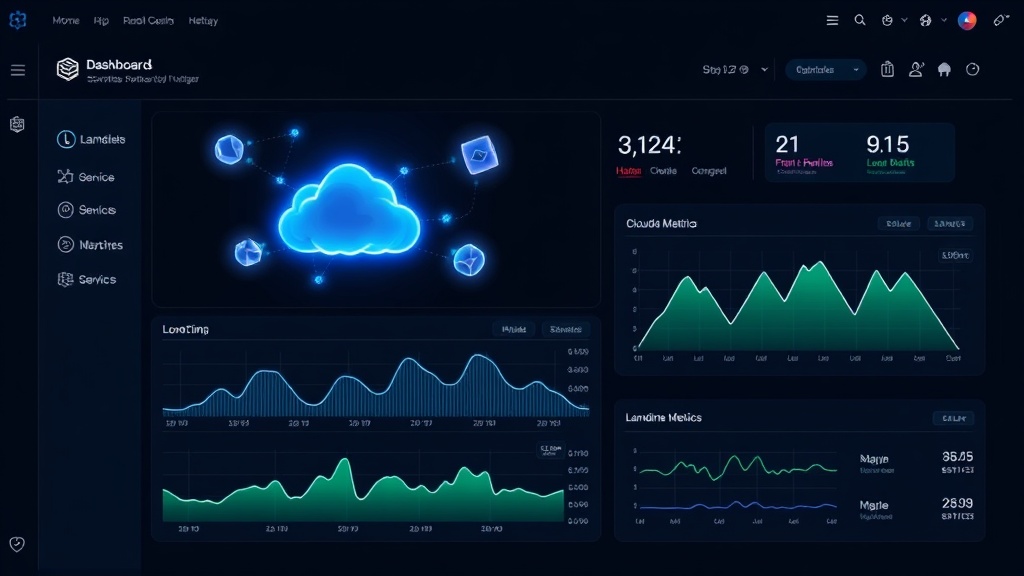
TL;DR: Serverless monitoring requires tracking function execution, cold starts, downstream dependencies, and API gateways. Use CloudWatch metrics, synthetic monitoring, and proper alerting thresholds to catch issues before users notice. Focus on business-critical functions and user-facing endpoints rather than monitoring every function.
Understanding Serverless Monitoring Challenges
Serverless applications present unique monitoring challenges that traditional server-based monitoring approaches can't address. Your functions are ephemeral, distributed across multiple regions, and often triggered by events you don't directly control.
The biggest challenge is visibility. When a function fails, you need to know immediately — not when users start complaining. Cold starts can cause unexpected latency spikes, and downstream service failures can cascade through your entire application without proper monitoring.
Unlike traditional applications running on persistent servers, serverless functions execute in response to triggers, making it harder to establish baseline performance metrics and detect anomalies.
Key Metrics to Monitor in Serverless Applications
Function Execution Metrics
Start with the core execution metrics that directly impact user experience:
- Invocation count: Track how many times functions execute
- Error rate: Monitor failed executions and timeout errors
- Duration: Watch for performance degradation and cold starts
- Throttling: Detect when you hit concurrency limits
These metrics tell you if your functions are working correctly and performing within expected parameters.
Cold Start Monitoring
Cold starts are the silent killer of serverless performance. Monitor initialization time for each function, especially those triggered by user requests. Functions that haven't run recently take longer to start, causing noticeable delays.
Set up alerts when cold start durations exceed acceptable thresholds. For user-facing APIs, anything over 1-2 seconds becomes problematic.
Downstream Dependencies
Your serverless functions likely depend on databases, third-party APIs, and other services. Monitor:
- Database connection timeouts
- API response times from external services
- Queue depth for event-driven functions
- Storage service availability (S3, blob storage)
A single failing dependency can bring down multiple functions simultaneously.
Setting Up Monitoring for Different Serverless Platforms
AWS Lambda Monitoring
CloudWatch provides built-in Lambda metrics, but you'll need additional monitoring for comprehensive coverage:
# CloudWatch Alarms for Lambda
HighErrorRate:
  Type: AWS::CloudWatch::Alarm
  Properties:
    AlarmName: Lambda-High-Error-Rate
    MetricName: Errors
    Namespace: AWS/Lambda
    Statistic: Sum
    Period: 300
    EvaluationPeriods: 2
    Threshold: 10
    ComparisonOperator: GreaterThanThreshold
Set up X-Ray tracing to track requests across your entire serverless architecture. This helps identify bottlenecks and failed dependencies.
Use CloudWatch Logs Insights to query function logs and detect patterns in errors or performance issues.
Azure Functions Monitoring
Application Insights provides comprehensive monitoring for Azure Functions:
- Enable Application Insights during function creation
- Set up availability tests for HTTP-triggered functions
- Configure custom metrics for business logic monitoring
- Use Live Metrics Stream for real-time monitoring
Application Insights automatically tracks dependencies, making it easier to spot external service issues.
Google Cloud Functions Monitoring
Cloud Monitoring (formerly Stackdriver) handles Google Cloud Functions monitoring:
- Use Cloud Logging to aggregate function logs
- Set up uptime checks for HTTP functions
- Monitor Cloud Pub/Sub metrics for event-driven functions
- Configure alerting policies based on error rates and latency
Implementing Synthetic Monitoring
Synthetic monitoring proactively tests your serverless endpoints before real users encounter problems. Create automated tests that:
- Call your HTTP-triggered functions regularly
- Simulate common user workflows
- Test from multiple geographic locations
- Validate response content, not just HTTP status codes
Run these tests every 1-5 minutes depending on criticality. For business-critical functions, consider running tests from multiple regions to catch regional outages.
Status Page Integration Strategies
Choosing What to Display
Not every serverless function needs its own status page component. Focus on user-facing services:
- API endpoints that mobile apps or websites depend on
- Payment processing functions
- Authentication services
- Data processing pipelines that affect user experience
Group related functions under logical service categories like "User Authentication" or "Payment Processing" rather than listing individual Lambda functions.
Automated Status Updates
Connect your monitoring system to automatically update status page components:
- Set up webhooks from your monitoring tools
- Define clear criteria for each status level (operational, degraded, major outage)
- Implement automatic incident creation when error rates spike
- Configure automatic resolution when metrics return to normal
This prevents the common problem of forgetting to update your status page during incidents.
Setting Up Effective Alerting
Alert Thresholds
Serverless applications can have spiky traffic patterns, making static thresholds problematic. Use dynamic thresholds based on:
- Time of day patterns
- Day of week variations
- Historical error rates
- Function warm-up periods
For example, set error rate alerts at 5% above normal rather than a fixed 10% threshold.
Alert Fatigue Prevention
Serverless functions can generate massive amounts of alerts if configured incorrectly:
- Use composite alerts that consider multiple metrics
- Implement alert suppression during known maintenance windows
- Set minimum duration requirements before triggering alerts
- Use escalation policies to avoid overwhelming on-call engineers
Multi-Channel Notification
Distribute alerts across multiple channels:
- Immediate alerts via PagerDuty or similar for critical issues
- Slack/Teams notifications for team awareness
- Email summaries for non-urgent issues
- Status page updates for customer communication
Prioritize alerts based on user impact rather than technical severity.
Best Practices for Serverless Status Pages
Service Grouping
Organize your status page around business functions rather than technical architecture:
- User Management: Registration, login, profile updates
- Core Application: Main features users interact with
- Payments: Billing, subscriptions, transactions
- Integrations: Third-party service connections
This approach makes sense to users who don't care about your Lambda function architecture.
Meaningful Status Descriptions
Write status updates that explain user impact:
- Instead of: "Lambda function timeout in us-east-1"
- Write: "Login requests may take longer than usual"
Include estimated resolution times and workarounds when possible.
Historical Data Display
Show uptime percentages over meaningful periods (7 days, 30 days, 90 days) rather than just current status. This builds trust and provides context for occasional issues.
Monitoring Tools Integration
Modern status page platforms like Livstat integrate directly with serverless monitoring tools, automatically updating component status based on your monitoring data. This eliminates manual status updates and ensures your status page reflects reality.
Look for integrations with:
- CloudWatch (AWS)
- Application Insights (Azure)
- Cloud Monitoring (Google Cloud)
- Third-party APM tools (Datadog, New Relic)
Common Pitfalls to Avoid
Don't monitor every single function — focus on those that impact users directly. Monitoring hundreds of internal functions creates noise that obscures real problems.
Avoid setting up alerts without considering the broader system context. A single function failure might not warrant an incident if redundant functions handle the same workload.
Never rely solely on cloud provider metrics. They show technical health but miss user experience issues like slow API responses that still return 200 status codes.
Conclusion
Effective serverless monitoring requires shifting from server-centric thinking to function and user-experience focused approaches. Monitor what matters to users, set up meaningful alerts, and maintain status pages that communicate business impact rather than technical details.
Start with your most critical user-facing functions, implement synthetic monitoring, and gradually expand coverage based on actual incidents and user feedback. The goal isn't perfect technical monitoring — it's preventing user-impacting issues and communicating transparently when problems occur.