How to Set Up Status Page Monitoring for Kubernetes Clusters
Learn to monitor Kubernetes cluster health with automated status page updates. Configure pod monitoring, service checks, and incident notifications for better visibility.
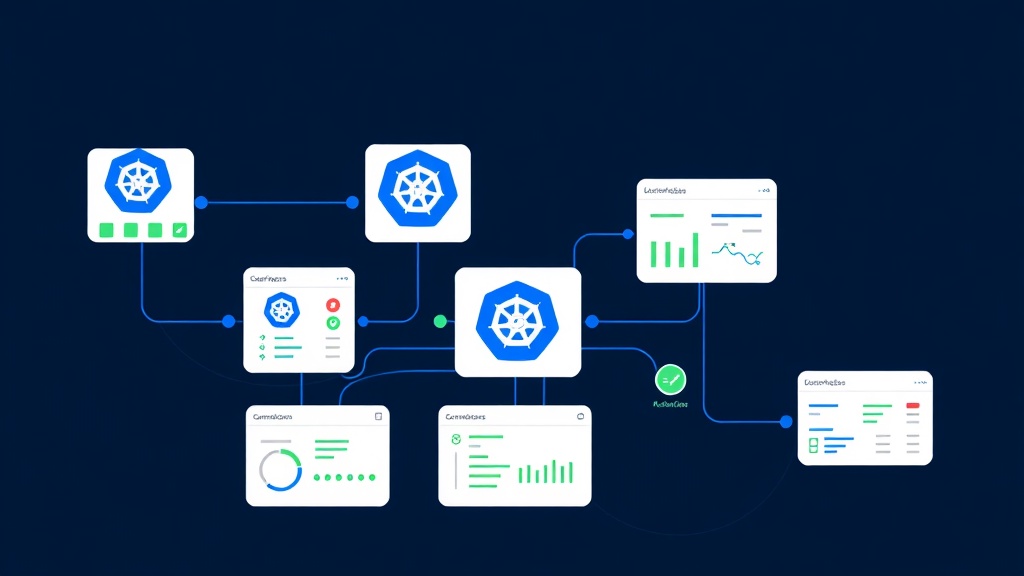
TL;DR: Set up comprehensive Kubernetes monitoring with automated status page updates by configuring health checks for pods, services, and nodes. Use monitoring tools like Prometheus or kubectl health checks to feed data to your status page, ensuring stakeholders stay informed about cluster availability and performance issues in real-time.
Why Kubernetes Cluster Monitoring Matters
Kubernetes has become the backbone of modern application infrastructure, orchestrating containers across distributed environments. When your K8s cluster experiences issues, it can cascade into service outages that impact thousands of users.
Traditional monitoring approaches often leave stakeholders in the dark during incidents. Your engineering team might know about a failing deployment, but customers and business teams remain unaware until complaints start flooding in.
Status page monitoring bridges this gap by automatically communicating cluster health to all stakeholders. It transforms internal infrastructure metrics into clear, actionable status updates that everyone can understand.
Understanding Kubernetes Health Indicators
Before diving into implementation, you need to identify which cluster components to monitor for your status page.
Critical Components to Track
Node Health: Monitor CPU usage, memory consumption, and disk space across worker nodes. A single unhealthy node can trigger pod rescheduling and service degradation.
Pod Status: Track pod lifecycle states including pending, running, failed, and crashed containers. Failed pods often indicate application-level issues that directly impact user experience.
Service Availability: Monitor service endpoints and load balancer health. These components directly serve traffic to your applications.
Persistent Volume Claims: Track storage availability and mount status. Storage issues can cause data loss and application failures.
Establishing Monitoring Thresholds
Define clear thresholds that trigger status page updates:
- Degraded Performance: >80% CPU usage on nodes, >75% memory utilization
- Partial Outage: 25-50% of pods in failed state, individual service unavailability
- Major Outage: >50% pod failures, multiple service outages, node unavailability
Setting Up Health Check Automation
Method 1: Prometheus + Kubernetes Metrics
Prometheus provides comprehensive Kubernetes monitoring capabilities through the kube-state-metrics exporter.
Install kube-state-metrics in your cluster:
apiVersion: apps/v1
kind: Deployment
metadata:
  name: kube-state-metrics
  namespace: monitoring
spec:
  replicas: 1
  selector:
    matchLabels:
      app: kube-state-metrics
  template:
    metadata:
      labels:
        app: kube-state-metrics
    spec:
      containers:
      - name: kube-state-metrics
        image: k8s.gcr.io/kube-state-metrics/kube-state-metrics:v2.8.2
        ports:
        - containerPort: 8080
Configure Prometheus scraping rules to collect cluster metrics. Focus on key indicators like kube_pod_status_phase, kube_node_status_condition, and kube_service_status_load_balancer_ingress.
Set up alerting rules that trigger webhook notifications to your status page API when thresholds are breached.
Method 2: Custom Health Check Scripts
For more granular control, create custom monitoring scripts using kubectl commands.
#!/bin/bash

# Check node health
NODE_READY=$(kubectl get nodes --no-headers | grep -c "Ready")
TOTAL_NODES=$(kubectl get nodes --no-headers | wc -l)

# Check pod health by namespace
FAILED_PODS=$(kubectl get pods --all-namespaces --field-selector=status.phase=Failed --no-headers | wc -l)

# Check critical services
SERVICE_STATUS=$(kubectl get svc -n production --no-headers | grep -c "LoadBalancer")

# Update status page based on health metrics
if [ $FAILED_PODS -gt 10 ] || [ $NODE_READY -lt $((TOTAL_NODES * 3 / 4)) ]; then
    curl -X POST "https://api.statuspage.io/incidents" \
         -H "Authorization: Bearer $API_KEY" \
         -d '{"status": "degraded", "component": "kubernetes-cluster"}'
fi
Run these scripts as CronJobs within your cluster for automated monitoring.
Method 3: Kubernetes Liveness Probes
Leverage built-in Kubernetes health checks by configuring comprehensive liveness and readiness probes for your applications.
apiVersion: apps/v1
kind: Deployment
metadata:
  name: web-app
spec:
  template:
    spec:
      containers:
      - name: app
        image: myapp:latest
        livenessProbe:
          httpGet:
            path: /health
            port: 8080
          initialDelaySeconds: 30
          periodSeconds: 10
        readinessProbe:
          httpGet:
            path: /ready
            port: 8080
          initialDelaySeconds: 5
          periodSeconds: 5
Aggregate probe results across deployments to determine overall application health for status page reporting.
Integrating with Status Page APIs
Once you've established monitoring data sources, integrate them with your status page platform.
API Integration Pattern
Most status page platforms, including Livstat, provide REST APIs for programmatic updates. Structure your integration to handle different incident severities:
import requests
import json

def update_status_page(component_id, status, message):
    payload = {
        "component": component_id,
        "status": status,
        "message": message,
        "timestamp": datetime.utcnow().isoformat()
    }

    response = requests.post(
        f"{STATUS_PAGE_API_URL}/components/{component_id}/status",
        headers={"Authorization": f"Bearer {API_TOKEN}"},
        json=payload
    )

    return response.status_code == 200

# Example usage
if cluster_health_score < 0.8:
    update_status_page(
        "kubernetes-cluster",
        "degraded",
        "Cluster experiencing high resource utilization"
    )
Webhook Configuration
Set up webhooks to receive real-time notifications from your monitoring tools. Configure endpoints that can process alerts and update status components accordingly.
Ensure webhook authentication and validate payload signatures to prevent unauthorized status updates.
Advanced Monitoring Strategies
Multi-Cluster Visibility
For organizations running multiple Kubernetes clusters, aggregate health data across environments. Create separate status page components for production, staging, and development clusters.
Implement cluster-specific monitoring with environment tags to route alerts to appropriate status components.
Application-Specific Components
Don't limit monitoring to infrastructure components. Create status page components for specific applications or services running in your cluster.
Map Kubernetes namespaces to status page components, allowing granular incident communication for different teams or product areas.
Dependency Mapping
Identify critical dependencies between cluster components and external services. When a database or external API fails, automatically update related Kubernetes service statuses.
Troubleshooting Common Issues
False Positive Alerts
Kubernetes environments are inherently dynamic. Pod restarts and node rescheduling are normal operations that shouldn't trigger status page alerts.
Implement alert dampening with time-based thresholds. Only trigger status updates when issues persist beyond normal operational variance.
Alert Fatigue
Too many status updates can overwhelm stakeholders. Consolidate related alerts into single incident updates and use severity levels appropriately.
Set up alert correlation rules to group related Kubernetes events into cohesive incident narratives.
Monitoring the Monitors
Ensure your monitoring infrastructure itself is resilient. Deploy monitoring components across multiple nodes and implement health checks for your observability stack.
Best Practices for Kubernetes Status Pages
Maintain clear component naming conventions that non-technical stakeholders can understand. Instead of "kube-system-pods," use "Core Platform Services."
Implement graduated incident severity levels that map to business impact rather than technical metrics. A single failed pod might be informational, while widespread node failures constitute a major outage.
Provide context in status updates. Instead of "High CPU usage detected," explain "Application response times may be slower due to increased server load."
Regularly test your monitoring and status page integration during maintenance windows to ensure alerts flow correctly during actual incidents.
Conclusion
Effective Kubernetes status page monitoring requires a multi-layered approach that combines infrastructure metrics, application health checks, and clear stakeholder communication. By implementing automated monitoring with appropriate thresholds and integrating with status page APIs, you create a transparent incident communication system that builds trust with users and enables faster incident resolution.
The key is balancing comprehensiveness with clarity—monitor the right metrics, set appropriate thresholds, and communicate issues in terms your audience can understand and act upon.