How to Set Up Status Page Subscriber Notifications (Email & SMS)
Learn to configure email and SMS notifications for your status page subscribers. Complete guide with setup steps, best practices, and optimization tips.
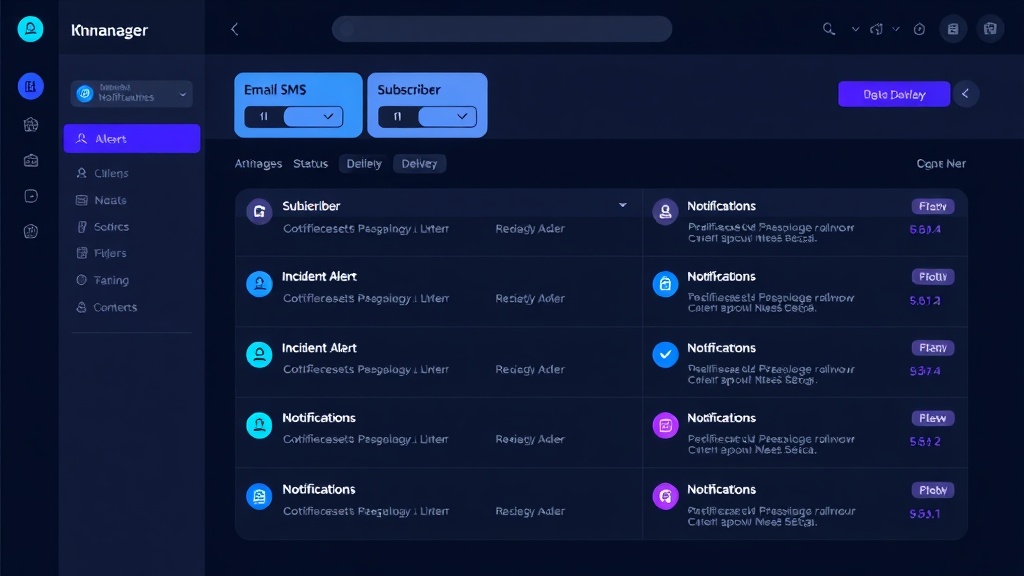
TL;DR: Setting up subscriber notifications for your status page involves configuring email and SMS delivery systems, creating subscriber lists, designing notification templates, and implementing proper delivery timing. This guide covers the complete setup process, from technical configuration to subscriber management best practices.
Why Subscriber Notifications Matter
Your status page serves as the central hub for communicating service health to users. However, expecting customers to manually check your page during incidents isn't realistic. Most users discover outages when your service stops working, not when they proactively visit your status page.
Proactive notifications bridge this gap. They inform subscribers about incidents before frustration builds, demonstrate transparency, and help maintain trust during challenging moments.
Companies with effective notification systems report 40% fewer support tickets during incidents and significantly higher customer satisfaction scores during outages.
Setting Up Email Notifications
Configure Your Email Service Provider
Choose a reliable email service provider (ESP) that offers high deliverability rates. Popular options include SendGrid, Mailgun, AWS SES, and Postmark. Each provides APIs for programmatic email sending and detailed delivery analytics.
Create API credentials in your chosen ESP. You'll need these to authenticate your status page platform with the email service. Store credentials securely using environment variables or a secrets management system.
Set up proper DNS records including SPF, DKIM, and DMARC to improve deliverability. These authentication records help email providers verify that messages actually come from your domain.
Design Email Templates
Create templates for different notification types: incident alerts, updates, resolutions, and maintenance windows. Each template should include:
- Clear subject lines that immediately convey the message type
- Service name and affected components
- Impact description and expected resolution time
- Link to your status page for detailed updates
- Unsubscribe option to comply with email regulations
Keep email content concise. During incidents, recipients want essential information quickly. Avoid marketing language or unnecessary details that dilute the core message.
Set Up Subscriber Lists
Organize subscribers into logical segments based on:
- Service tiers (free, paid, enterprise)
- Affected components or services
- Geographic regions
- User roles (end users, administrators, developers)
Segmentation allows you to send targeted notifications. For example, database maintenance might only affect enterprise customers, while API changes impact developers specifically.
Implement double opt-in for new subscribers to ensure valid email addresses and compliance with privacy regulations.
Configuring SMS Notifications
Choose an SMS Gateway Provider
Select an SMS service that offers global coverage and reliable delivery. Twilio, AWS SNS, and Vonage are popular choices with comprehensive APIs and good international reach.
SMS costs more than email, so consider limiting SMS notifications to critical incidents or offering it as a premium feature for high-tier customers.
Handle International Phone Numbers
Implement proper phone number validation and formatting. Use libraries like libphonenumber to parse and validate phone numbers according to international standards.
Consider timezone differences when sending SMS notifications. A non-critical update at 3 AM local time might frustrate subscribers more than help them.
Design SMS Templates
SMS messages have strict character limits (160 characters for GSM encoding). Your templates must be extremely concise while remaining informative:
"ALERT: [Service] experiencing issues. ETA 30min. Details: [short-link]"
Use URL shorteners for status page links to preserve character space. Include clear sender identification so recipients understand the message source.
Implementation Best Practices
Notification Timing
Send notifications immediately when incidents begin, but avoid notification fatigue with too many updates. A good pattern is:
- Initial alert within 5 minutes of detection
- Updates every 30-60 minutes during ongoing incidents
- Final resolution notification
For maintenance windows, send notifications 24-48 hours in advance, then reminders 2-4 hours before the maintenance begins.
Delivery Reliability
Implement retry logic for failed deliveries. Email bounces and SMS failures happen, so build resilient delivery systems that attempt redelivery with exponential backoff.
Monitor delivery metrics including bounce rates, delivery times, and unsubscribe rates. High bounce rates might indicate data quality issues, while excessive unsubscribes suggest notification frequency problems.
Personalization
Where possible, personalize notifications with subscriber names and relevant service information. However, avoid over-personalization that might delay critical incident communications.
Status page platforms like Livstat handle much of this complexity automatically, managing subscriber lists, templates, and delivery reliability without requiring custom implementation.
Advanced Configuration Options
Escalation Rules
Set up escalation rules that automatically upgrade notification methods based on incident severity or duration. For example:
- Minor incidents: Email only
- Major incidents: Email + SMS to premium subscribers
- Critical incidents lasting >1 hour: Email + SMS to all subscribers
This approach balances comprehensive communication with cost management and subscriber preferences.
Integration with Monitoring Tools
Connect your notification system to monitoring platforms that detect incidents. This automation ensures immediate notification without manual intervention during critical moments.
Configure webhooks or API integrations that trigger notifications when monitoring alerts fire. Include relevant metrics and context from your monitoring data in the notifications.
Compliance and Privacy
Ensure your notification system complies with regulations like GDPR, CAN-SPAM, and TCPA. This includes:
- Clear consent mechanisms for both email and SMS
- Easy unsubscribe processes
- Data retention policies
- Geographic restrictions for certain notification types
Testing and Optimization
Regular Testing
Test your notification system monthly with controlled test messages. Verify that:
- Messages deliver within expected timeframes
- Templates render correctly across different email clients
- SMS messages display properly on various devices
- Unsubscribe links function correctly
A/B Testing
Experiment with different subject lines, message formats, and sending times to optimize open rates and subscriber engagement. Track metrics like:
- Email open rates and click-through rates
- SMS delivery rates and response times
- Unsubscribe rates by message type
- Support ticket volume correlation with notification timing
Feedback Collection
Periodically survey subscribers about their notification preferences. Ask about:
- Preferred notification methods for different incident types
- Optimal frequency for updates
- Most valuable information to include in messages
- Timing preferences based on their timezone
Measuring Success
Track key performance indicators to evaluate your notification system's effectiveness:
- Notification delivery success rate (target: >99%)
- Average delivery time (target: <2 minutes for critical alerts)
- Subscriber growth and retention rates
- Reduction in support tickets during incidents
- Customer satisfaction scores during outages
Regularly review these metrics and adjust your notification strategy based on performance data and subscriber feedback.
Conclusion
Effective status page notifications require careful planning, reliable infrastructure, and ongoing optimization. By implementing both email and SMS channels with proper segmentation, timing, and personalization, you create a communication system that keeps subscribers informed and maintains trust during incidents.
Focus on delivering timely, relevant information through the channels your subscribers prefer. Test regularly, monitor performance metrics, and continuously refine your approach based on subscriber feedback and delivery analytics. The investment in comprehensive notification setup pays dividends in customer satisfaction and reduced support burden during critical moments.