How to Set Up Automated Failover Monitoring for Microservices
Learn to implement automated failover monitoring that detects service failures and triggers recovery processes. Includes practical configurations for health checks, circuit breakers, and monitoring tools.
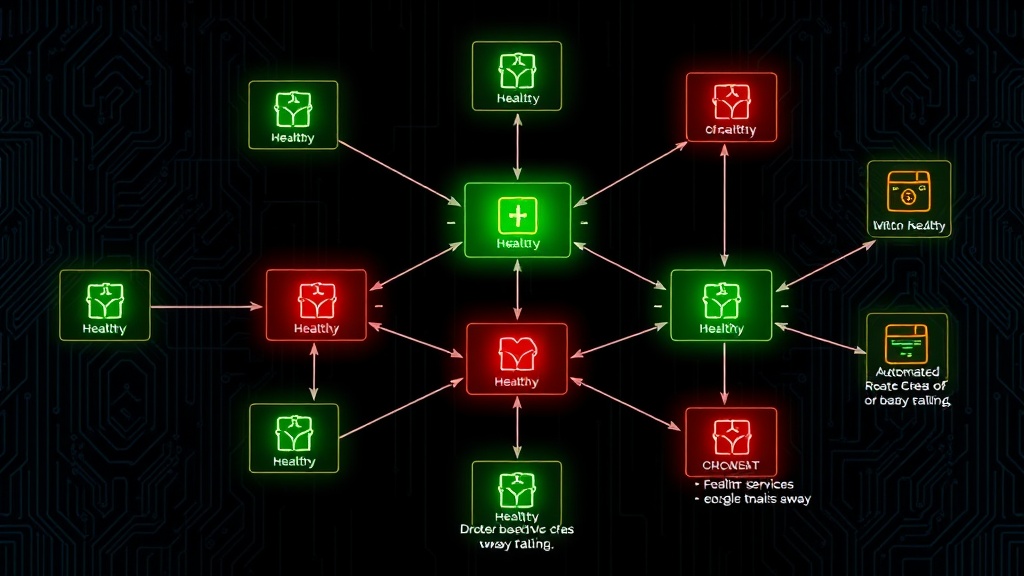
TL;DR: Automated failover monitoring for microservices requires health checks, circuit breakers, monitoring tools, and automated recovery processes. Set up multi-layer monitoring with proper alerting thresholds and graceful degradation strategies to minimize downtime and ensure business continuity.
Microservices architecture brings scalability and flexibility, but it also introduces complexity around service failures. When one service goes down, you need automated systems to detect the failure and redirect traffic to healthy instances or backup services.
Automated failover monitoring is your safety net. It continuously watches your services, detects when they're unhealthy, and automatically switches to backup systems without human intervention.
Understanding Failover Monitoring Components
Before diving into implementation, let's break down the key components you'll need for effective automated failover monitoring.
Health Check Mechanisms
Health checks are the foundation of failover monitoring. They're lightweight endpoints that return the operational status of your services.
Your health checks should verify:
- Service responsiveness
- Database connectivity
- External API availability
- Resource utilization (CPU, memory)
- Business logic functionality
Implement both shallow and deep health checks. Shallow checks verify basic service availability, while deep checks test critical dependencies.
Circuit Breaker Pattern
Circuit breakers prevent cascading failures by automatically stopping requests to failing services. They operate in three states:
- Closed: Normal operation, requests pass through
- Open: Service is failing, requests are blocked
- Half-open: Testing if service has recovered
When failure thresholds are exceeded, the circuit breaker opens and redirects traffic to fallback services or returns cached responses.
Load Balancer Integration
Your load balancer needs real-time health check data to route traffic away from failing instances. Modern load balancers can automatically remove unhealthy targets and redistribute load.
Step-by-Step Implementation Guide
Step 1: Configure Health Check Endpoints
Start by implementing comprehensive health check endpoints in each microservice.
// Express.js health check example
app.get('/health', async (req, res) => {
  const health = {
    status: 'healthy',
    timestamp: new Date().toISOString(),
    checks: {
      database: await checkDatabase(),
      redis: await checkRedis(),
      externalApi: await checkExternalAPI()
    }
  };

  const isHealthy = Object.values(health.checks).every(check => check === 'healthy');
  res.status(isHealthy ? 200 : 503).json(health);
});
Set different intervals for different check types. Critical services might need checks every 10 seconds, while less critical ones can use 30-60 second intervals.
Step 2: Implement Circuit Breakers
Add circuit breaker logic to prevent cascading failures between services.
# Python circuit breaker example
from pybreaker import CircuitBreaker

db_breaker = CircuitBreaker(fail_max=5, reset_timeout=60)

@db_breaker
def get_user_data(user_id):
    return database.query(f"SELECT * FROM users WHERE id = {user_id}")

# Handle circuit breaker exceptions
try:
    user_data = get_user_data(123)
except CircuitBreakerError:
    # Return cached data or default response
    user_data = cache.get(f"user_{user_id}") or {"error": "Service temporarily unavailable"}
Configure thresholds based on your service's normal error rates. A service with 1% typical error rate might trigger the breaker at 5% failures.
Step 3: Set Up Monitoring and Alerting
Choose monitoring tools that can track your health checks and trigger automated responses.
Popular monitoring solutions for 2026:
- Prometheus with Grafana
- Datadog
- New Relic
- AWS CloudWatch
- Livstat (built-in monitoring with status pages)
Configure alerts with appropriate thresholds:
- Warning: 2 consecutive health check failures
- Critical: 5 consecutive failures or 50% error rate
- Emergency: Complete service unavailability
Step 4: Configure Automated Recovery Actions
Set up automated responses when failures are detected:
# Kubernetes example with liveness/readiness probes
apiVersion: v1
kind: Pod
spec:
  containers:
  - name: microservice
    livenessProbe:
      httpGet:
        path: /health
        port: 8080
      initialDelaySeconds: 30
      periodSeconds: 10
      failureThreshold: 3
    readinessProbe:
      httpGet:
        path: /ready
        port: 8080
      periodSeconds: 5
      failureThreshold: 2
Kubernetes will automatically restart containers that fail liveness probes and remove them from service discovery when readiness probes fail.
Step 5: Implement Graceful Degradation
Not every failure requires complete service shutdown. Implement graceful degradation strategies:
// Graceful degradation example
async function getUserRecommendations(userId) {
  try {
    // Try ML-powered recommendations
    return await mlService.getRecommendations(userId);
  } catch (error) {
    try {
      // Fallback to simple rule-based recommendations
      return await ruleBasedRecommendations(userId);
    } catch (fallbackError) {
      // Final fallback to popular items
      return await getPopularItems();
    }
  }
}
This approach maintains functionality even when advanced features fail.
Advanced Failover Strategies
Multi-Region Failover
For critical applications, implement cross-region failover:
- Deploy identical services in multiple regions
- Use global load balancers with health-based routing
- Implement data replication between regions
- Set up automated DNS failover
Database Failover
Database failures are particularly critical. Configure:
- Read replicas for read operations
- Master-slave replication with automatic promotion
- Connection pooling with retry logic
- Database proxy layers for transparent failover
Gradual Traffic Shifting
Instead of immediate full failover, gradually shift traffic:
- Detect service degradation
- Reduce traffic to affected service by 25%
- Monitor if performance improves
- Continue adjusting until optimal performance
This approach prevents overloading backup services.
Monitoring Your Failover System
Your failover monitoring system needs monitoring too. Track these metrics:
- Health check response times
- Failover trigger frequency
- Recovery time objectives (RTO)
- False positive rates
- Service availability percentages
Regularly test your failover mechanisms with chaos engineering practices. Tools like Chaos Monkey can help identify weaknesses before real failures occur.
Common Pitfalls to Avoid
Over-Sensitive Health Checks
Don't trigger failover on temporary network blips. Implement proper retry logic and require multiple consecutive failures before taking action.
Cascade Failures
Ensure your monitoring system doesn't overwhelm backup services. Implement rate limiting and gradual traffic shifting.
Missing Dependencies
Your health checks must verify all critical dependencies, not just the primary service functionality.
Inadequate Testing
Regularly test failover scenarios in staging environments. Automated tests should cover various failure modes.
Conclusion
Automated failover monitoring is essential for maintaining microservices reliability. Start with comprehensive health checks, implement circuit breakers, and configure monitoring tools with appropriate alerting thresholds.
The key is layered monitoring: service-level health checks, circuit breakers for inter-service communication, load balancer integration, and orchestrator-level monitoring. Each layer provides a safety net for different types of failures.
Remember that perfect uptime is impossible, but with proper automated failover monitoring, you can minimize downtime and maintain user trust. Regular testing and continuous improvement of your failover mechanisms will ensure they work when you need them most.